Creating a personal website used to be something only developers could do. You needed to learn coding languages like HTML, CSS, and JavaScript or hire someone expensive to do it for you. That made the idea of having your own website feel complicated and out of reach for most people.
But in 2026, that’s no longer true. Today, anyone, from students and freelancers to job seekers and professionals, can build a complete, professional-looking website without writing a single line of code. With the help of modern website builders and the right tools, the process has become easier, faster, and more affordable than ever.
Today, students, freelancers, job seekers, and even small business owners are creating their own websites. Thanks to modern no-code platforms, you can build a professional website using simple drag-and-drop tools. These platforms handle all the technical work in the background while you focus on design and content. If you’ve ever thought about having your own online presence but felt stuck because of technical skills, this guide will walk you through everything step by step in a simple and practical way.
Understanding What “No-Code” Really Means
Before jumping into building, it’s important to understand what “no-code” actually means. A no-code website builder is a platform that allows you to create a website using visual tools instead of programming. You simply drag elements like text, images, and buttons onto a page, and the system automatically converts your design into working code behind the scenes.
Think of it like building something with Lego blocks. You don’t need to know how the blocks are made; you just arrange them the way you want. This approach has made website creation accessible to everyone, removing the need for technical knowledge.
The biggest advantage is speed and simplicity. What used to take weeks or even months can now be done in a few hours or days.
Why a Personal Website Is Important Today
A personal website is more than just a digital page; it’s your identity on the internet. Social media platforms are useful, but they don’t give you full control. Your website, on the other hand, is completely yours. You decide what to show, how it looks, and how people interact with it.
For students, a website can act as a portfolio that shows projects and achievements. For freelancers, it becomes a place where clients can learn about your services. For professionals, it adds credibility and helps you stand out in a competitive job market.
Another important point is that having your own domain name makes you look more serious and professional. Instead of sharing a random link, you can simply say (yourname.com) and that leaves a strong impression.
Step 1: Start with a Clear Purpose
Before you choose any platform or design, you need to understand why you are building this website. This step is often ignored, but it’s very important.
Take a moment and think about your goal. Are you trying to showcase your work? Do you want to write blogs? Are you looking to attract clients or apply for jobs?
Your purpose will decide everything else, your layout, your content, and even the platform you choose. For example, a portfolio website needs visuals and project sections, while a blog needs a clean reading experience. When your purpose is clear, the rest of the process becomes much easier.
Step 2: Choosing the Right Website Builder
Once your goal is clear, the next step is selecting the right platform. There are many no-code website builders available today, and each one is designed for different types of users.
Platforms like Wix are known for their simplicity. You can drag and drop elements anywhere on the screen, which makes it perfect for beginners. WordPress is more flexible and powerful, especially if you plan to grow your website in the future. Squarespace focuses on clean and modern design, making it a good choice for creatives like photographers or designers.
These platforms usually offer hundreds of templates, so you don’t have to start from scratch. You simply pick a design that matches your goal and customize it according to your needs.
Another important thing is that many builders include hosting, security, and updates automatically, so you don’t have to worry about technical setup.
Step 3: Understanding Domain and Hosting
Now let’s talk about two important things that often confuse beginners: domain and hosting. A domain is your website’s address. It’s what people type in their browser to visit your site. For example, yourname.com is a domain. It’s like your home address on the internet.
Hosting, on the other hand, is where your website lives. It’s the space where all your files, images, and content are stored.
Many no-code platforms combine both domain connection and hosting into one package, making things easier for beginners. But if you use platforms like WordPress.org, you’ll need to buy hosting separately.
In terms of cost, a domain usually costs around $10–15 per year, while hosting can range from basic to premium depending on your needs. The good thing is that you can start small and upgrade later.
Step 4: Planning Your Website Structure
Before you start designing, it’s a good idea to plan your website structure. This simply means deciding what pages you need and how they will be connected.
A basic personal website usually includes:
- A homepage
- An about page
- A portfolio or work section
- A contact page
Planning this in advance helps you stay organized and makes the building process smoother. It also improves user experience because visitors can easily find what they are looking for.
Step 5: Designing Without Coding
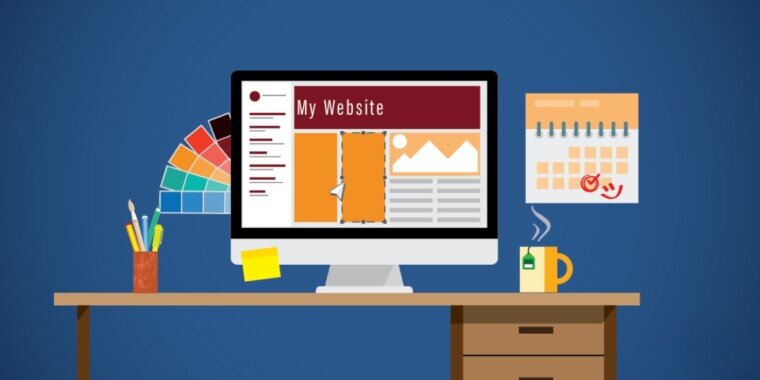
This is where things become interesting. With website builders, designing your website feels more like editing a presentation than building a technical product.
You can click on any element and change it instantly. Want to edit text? Just click and type. Want to change colors? Use the color picker. Want to move something? Just drag it.
Most platforms offer responsive templates, which means your website will automatically adjust for mobile devices. This is important because most people browse the internet on their phones.
While designing, try to keep things simple. A clean layout with clear sections always looks more professional than something overloaded with colors and animations.
Step 6: Adding Content That Matters
Design is important, but content is what makes your website valuable. Start by writing a clear introduction about yourself. Explain who you are, what you do, and what you offer. If you have projects, describe them in a simple and honest way. Add images if possible, because visuals make your website more engaging.
Your content should be easy to read and straight to the point. Avoid long, complicated sentences. Remember, visitors usually scan websites, so clarity matters more than complexity.
Step 7: Publishing Your Website
Once everything is ready, publishing your website is just a single click. Most no-code platforms allow instant publishing, which means your site goes live immediately.
After publishing, you can share your website link with others. Add it to your CV, LinkedIn profile, or social media accounts. This is where your website starts working for you.
Common Mistakes to Avoid
Many beginners make small mistakes that can affect their website’s quality. One common mistake is overcomplicating the design. People try to add too many features, colors, or animations, which makes the site look messy. Simplicity is always better.
Another mistake is ignoring mobile users. If your site doesn’t look good on a phone, you may lose a large number of visitors.
Some people also forget to update their website. An outdated site gives a bad impression. It’s important to keep your content fresh and relevant.
Maintaining Your Website Over Time
The good news is that maintaining a no-code website is very easy. You don’t need technical skills or developers for small updates.
You can log in anytime and do the following:
- Update your information
- Add new projects
- Change images
- Fix small issues
Most platforms allow instant updates, so changes appear immediately without any complex process.
Think of your website as something that grows with you. As your skills improve or your career changes, your website should reflect that.
Realistic Costs and What to Expect
One of the biggest advantages of no-code platforms is cost savings. Traditional website development can cost thousands of rupees or dollars, but website tools reduce this significantly.
You can start with a free plan, but if you want a professional look, you may need the following:
- A domain name
- A premium template or plan
Even then, the total cost is still much lower than hiring a developer.
Final Thoughts
Building a personal website without coding is no longer a difficult task. With modern tools and platforms, anyone can create a professional website in a short amount of time. The key is to start simple, stay focused on your goal, and improve over time.
You don’t need to be perfect in the beginning. Your first version might be basic, and that’s completely fine. What matters is taking the first step and putting yourself out there.
A personal website is one of the best investments you can make for your future. It gives you control, visibility, and a place to show your work to the world. Once you build it, you’ll realize that the process is much easier than you expected, and definitely worth it.