You spent three weeks perfecting your CV. You rehearsed your interview answers in front of a mirror. You showed up ten minutes early, shook hands firmly, and nailed every question.
Then you didn’t get the job.
Not because of your qualifications. Not because someone else had more experience. Because a hiring manager typed your name into Google during lunch, found a Facebook photo from 2019 you forgot existed, and decided you weren’t a “culture fit.”
Studies show that roughly 70% of employers now use social media to screen job candidates before making a hiring decision, and over half of those employers have found something that caused them to reject a candidate outright. Meanwhile, nearly 47% of hiring managers say they’re less likely to call someone in for an interview if they can’t find them online at all.
You’re being judged before you walk into the room. The question isn’t whether employers are looking. It’s whether you’ve prepared for what they’ll find.
This guide walks you through every step of cleaning up your digital footprint, building a professional online presence, and taking control of what the internet says about you before your next job application.
What Is a Digital Footprint and Why Does It Matter for Job Seekers?
Your digital footprint is the trail of data you leave behind every time you use the internet. Every social media post, every comment, every photo you’re tagged in, every forum you’ve signed up for, every review you’ve left. It all adds up to a searchable portrait of who you are.
There are two types. Your active digital footprint includes things you intentionally share, like tweets, Instagram posts, LinkedIn updates, blog articles. Your passive digital footprint includes data collected without your direct input, such as website cookies, location data, search engine results, and information others post about you.
For job seekers, this matters enormously. Hiring managers are no longer limited to the information on your CV. A quick search reveals your personality, your opinions, your social circle, and your judgment, or at least what those things look like through a screen. An inappropriate post from five years ago can overshadow five years of professional experience.
The good news is that your digital footprint isn’t permanent in the way most people think. You can shape it, clean it, and even build it strategically to work in your favour.
Step 1: Google Yourself (And Prepare for What You Find)

Before you clean anything, you need to know what’s already out there. Open an incognito or private browser window (so your search history doesn’t personalise the results) and type your full name in quotation marks.
Try multiple variations: your first and last name, your name plus your city, your name plus your profession, your name plus your employer. Check at least the first three pages of Google results, because some employers dig deeper than page one.
Take note of everything that appears. Old social media profiles you forgot about. Forum posts from a decade ago. Tagged photos on someone else’s account. News articles that mention you. Archived pages that should have been deleted but weren’t.
Don’t stop at Google. Search your name on Bing and DuckDuckGo as well, because different search engines index different content. Then search your name directly within Facebook, Instagram, X (formerly Twitter), TikTok, Reddit, and LinkedIn. Each platform has its own internal search that may reveal things Google doesn’t.
Write down everything you want to address. This is your audit list, the foundation for every step that follows.
Step 2: Conduct a Full Social Media Audit
Now go through each of your social media accounts one by one. This is the most time-consuming step, but it’s also the most important. Hiring managers focus primarily on LinkedIn, Facebook, and X, but Instagram, TikTok, and even Reddit are increasingly being checked, especially for younger candidates.
Here’s what employers are specifically scanning for: provocative or inappropriate photos and videos, discriminatory or offensive comments about race, gender, religion, or politics, evidence of drug or alcohol use, negative posts about previous employers or coworkers, poor grammar and spelling that suggests carelessness, confidential information shared from a previous job, and generally unprofessional behaviour.
Go through your posts, photos, comments, likes, shares, and tags going back as far as you can. Yes, that means the Facebook posts from university. Yes, that includes the memes you shared in 2017. Yes, the angry tweets from three elections ago.
Delete or hide anything that could be interpreted negatively by someone who doesn’t know you personally. Remember, context doesn’t travel well online. A joke between friends that made perfect sense at the time can look very different to a stranger reading it years later with no context.
Don’t forget to check your tagged photos on Facebook and Instagram. Other people’s posts that feature you can be just as damaging as your own. Untag yourself from anything questionable, and adjust your tagging settings so that you have to manually approve any tags before they appear on your profile.
Step 3: Lock Down Your Privacy Settings
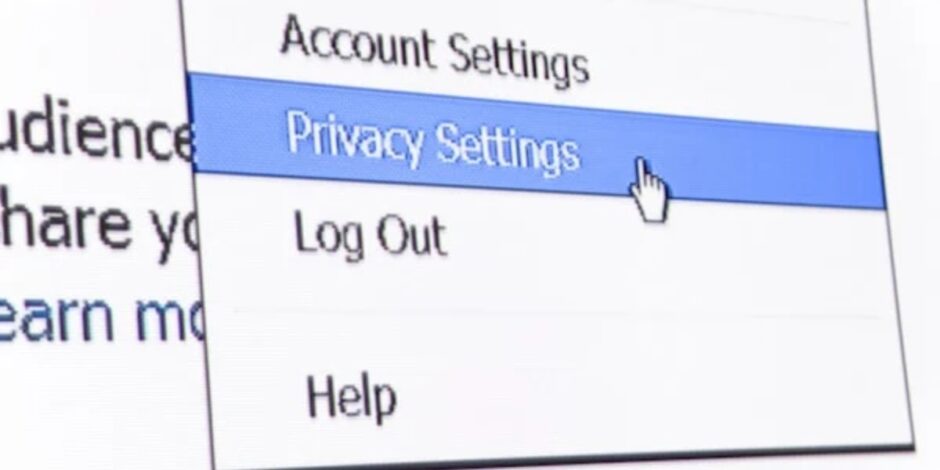
Once you’ve cleaned up your content, you need to make sure that the private parts of your life actually stay private. Each platform has its own privacy controls, and they change frequently, so it’s worth going through them fresh even if you set them up years ago.
On Facebook, go to Settings → Privacy and change “Who can see your future posts?” to “Friends.” Then use the “Limit Past Posts” tool to retroactively restrict old posts to friends only. Under the Profile and Tagging settings, enable the feature that lets you review tags before they appear on your timeline. Also check who can look you up using your email address or phone number, and set these to “Friends” or “Only me.”
On Instagram, consider switching to a private account if your content is personal rather than professional. If you use Instagram for professional branding (photography, design, content creation), keep it public but curate it carefully. Either way, review your tagged photos and remove anything that doesn’t fit the image you want to present.
On X (formerly Twitter), if your tweets are personal and not part of a professional brand, protect your tweets so only approved followers can see them. Review your likes (yes, those are visible to others) and unlike anything that could raise eyebrows. Consider using a tool to bulk-delete old tweets if your history is extensive.
On TikTok, switch your account to private if you’re not using it professionally. Review your liked videos (which are public by default) and your comment history.
On LinkedIn, privacy works differently because it’s a professional platform. You want to be found here. Make sure your profile is set to public, your photo is professional, and your headline and summary are optimised. We’ll cover this in more detail below.
A critical point: privacy settings are not foolproof. Screenshots exist. Cached pages exist. Mutual friends can share your posts. Privacy settings reduce your exposure, but they don’t eliminate it. That’s why deletion and curation matter just as much as settings.
Step 4: Remove or Request Removal of Unwanted Content

Some of the most damaging content about you online may not be on accounts you control. It could be an embarrassing photo on someone else’s profile, a mention in a news article, an old blog post, or a result from a website you signed up for years ago and forgot about.
For content on someone else’s social media, your best option is to reach out directly and ask them to remove it. Most people are understanding when you explain that you’re cleaning up your online presence for a job search.
For outdated or irrelevant Google search results, you can use Google’s “Request to Remove” tool (available at google.com/webmaster/tools/removals) to ask for the removal of specific URLs. Google won’t remove everything. The content typically needs to violate their policies or contain personal information, but it’s worth trying, especially for results that display sensitive data like old phone numbers or addresses.
For old accounts on websites you no longer use, log in and delete them. If you can’t remember your password, use the password reset function. If the site no longer exists but cached content lingers in search results, you can submit a removal request to Google to de-index the page.
Services like DeleteMe, Kanary, or Optery can help remove your personal information from data broker websites, the people-search sites that aggregate your name, address, phone number, and other details into publicly searchable databases. These services typically cost between $100 and $250 per year but can dramatically reduce the amount of personal information visible about you online.
Step 5: Build a Professional Online Presence That Works for You
Cleaning up your digital footprint is only half the equation. The other half is building a positive, professional presence that actually helps your job search. Remember, 47% of employers are less likely to interview candidates they can’t find online at all. Being invisible is almost as bad as being visible for the wrong reasons.
LinkedIn is your most important asset. Treat it like a living, breathing CV. Use a high-quality, professional headshot. Profiles with photos get significantly more views than those without. Write a compelling headline that goes beyond your job title (for example, “Marketing Strategist | Helping B2B Brands Turn Content Into Pipeline” is far stronger than “Marketing Manager at XYZ Company”). Fill out your summary section with a first-person narrative that tells your professional story, not a dry list of responsibilities.
Request recommendations from colleagues, managers, and clients. Engage with industry content by commenting thoughtfully on posts in your field. Publish your own posts or articles if you have insights to share. LinkedIn’s algorithm rewards consistent activity, so even small actions, like a comment here or a share there, compound over time and push your profile higher in search results.
Consider creating a personal website or portfolio. A simple one-page site with your name as the domain (yourname.com) gives you a powerful asset that you fully control. It typically ranks well in Google search results for your name, which means you can influence what appears on page one. Include a professional bio, your CV or portfolio, links to relevant work, and a way for people to contact you.
Curate your public social media intentionally. If you keep any social media accounts public, make sure they reinforce the professional image you want to project. Share articles relevant to your industry. Post about professional achievements, conferences, or projects. Celebrate milestones in a way that shows you’re engaged and thoughtful. You don’t need to turn your personal accounts into corporate mouthpieces. Just be intentional about what the public version of you looks like.
Step 6: Set Up Ongoing Monitoring
Cleaning your digital footprint isn’t a one-time project. New content can surface at any time. Someone tags you in an old photo, a forum post gets re-indexed, a data broker adds your information to a new database.
Set up a Google Alert for your full name (and common misspellings) at google.com/alerts. You’ll receive an email whenever new content mentioning your name appears online. It’s free, it takes 30 seconds to set up, and it gives you an early warning system for anything you might need to address.
Periodically repeat the self-search process from Step 1, ideally once every few months is a reasonable cadence, or any time you’re about to start a job search. The internet changes constantly, and so does what appears when someone searches for you.
Review your privacy settings at least twice a year. Platforms update their policies and interfaces regularly, sometimes resetting or changing default settings in ways that expose previously private content.
Common Mistakes Job Seekers Make With Their Digital Footprint
Even people who actively manage their online reputation fall into predictable traps. The most common is assuming that old content doesn’t matter. Hiring managers don’t check whether a post is from 2024 or 2014. If it’s visible, it’s fair game. A discriminatory joke from a decade ago carries the same weight today as it did then, sometimes more.
Another frequent mistake is forgetting about secondary platforms. You might have scrubbed your Facebook and LinkedIn, but what about that Reddit account with your real name in the username? Or the Quora answers you wrote in 2018? Or the review you left on Glassdoor that complains about your former employer? Every platform where your name or identifying information appears is part of your digital footprint.
Neglecting the visual layer is another blind spot. Your profile picture on every platform, even the ones you rarely use, says something about you. A blurry photo from a night out as your Twitter avatar sends a very different signal than a clean, professional image. Update profile photos across all platforms, even ones you’ve set to private, because profile pictures are often visible regardless of privacy settings.
Finally, being overly aggressive with deletion can backfire. If you delete every social media account and scrub yourself completely from the internet, you become invisible, and as the data shows, invisibility makes hiring managers suspicious. The goal isn’t to disappear. It’s to ensure that what they find tells a story you’re proud of.
Your Digital Footprint Cleanup Checklist
Before you send your next job application, run through this list:
You’ve searched your name on Google, Bing, and all major social platforms in a private browser window. You’ve reviewed and deleted or hidden problematic posts, photos, comments, and tags across every account. Privacy settings on all personal accounts are set to restrict public visibility. You’ve requested removal of any unwanted third-party content or outdated search results. Your LinkedIn profile is complete, current, and optimised with a professional photo, strong headline, and detailed summary.
You’ve considered creating a personal website or portfolio that ranks for your name. Google Alerts are set up for your name. You’ve checked and cleaned secondary platforms like Reddit, Quora, Glassdoor, and old forums. Profile photos across all platforms are professional and appropriate. You have a plan to review your digital footprint regularly, not just once.
Your digital footprint tells a story about you whether you curate it or not. Every hiring manager who searches your name is reading a version of that story. The only question is whether it’s the version you chose to tell, or the version you left behind by accident.
Take 30 minutes today. Clean up the past. Build something intentional for the future. And walk into your next interview knowing that when they Google you (and they will), what they find makes them more excited to meet you, not less.