Cybercriminals nowadays are moving faster and operating smarter than ever before. Your email account acts as the absolute master key to your entire digital life. If hackers breach your inbox, they gain the power to unlock your bank accounts, hijack your social media, and steal your private data. You must know how to spot an attack. Furthermore, you must know exactly how to react.
First, you should always understand your baseline risk. You can visit the website haveibeenpwned.com to check if your email address has appeared in any recent data breaches. If it has, you must stay on high alert.
This guide will walk you through the early warning signs of an email account compromise. Next, we will show you how to audit your activity to confirm a breach. Finally, we will guide you through the exact recovery steps you need to contain the damage and lock hackers out for good.
The Early Warning Signs of a Compromised Email
Hackers rarely make a lot of noise when they break into your account. Instead, they sneak in silently and observe your communications. You must look for subtle early warning signs to catch them in the act.
Unfamiliar Login Alerts
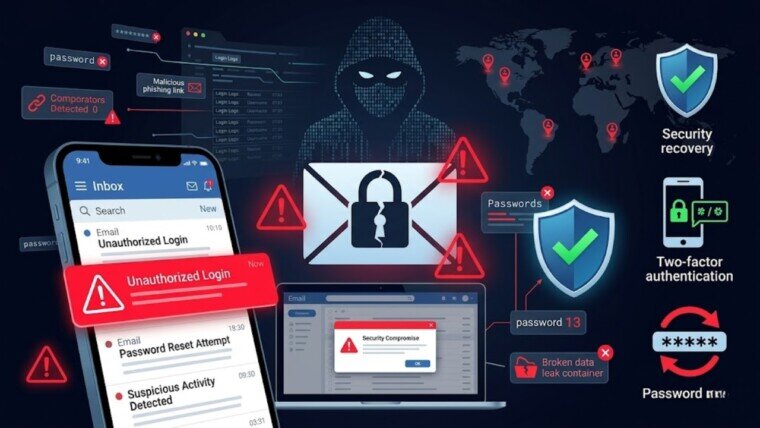
Did you just receive a security alert about a login from a new device? Pay close attention. If you see a login notification from a city you have never visited, a hacker likely possesses your password. You should never ignore these automated warnings.
Uninitiated Password Reset Requests
Hackers constantly use compromised email accounts to reset passwords for your linked services. If you suddenly see password reset emails from your bank, payroll portal, or social media accounts, someone is already inside your inbox. They are actively trying to steal your identity.
Ghost Emails Sent Without Your Knowledge
You should regularly check your “Sent” folder. Do you see strange messages that you did not write? Attackers frequently use compromised accounts to send malicious phishing links to your entire contact list. They impersonate you to trick your friends and colleagues.
Sudden Security Notifications from Linked Services
Online services often send alerts when they detect highly unusual behavior. If PayPal, LinkedIn, or Netflix warns you about a strange login or a sudden profile change, you must take it seriously. This usually indicates that an attacker used your email to pivot into your other digital accounts.
How to Audit Your Login Activity & Connected Apps
Do not panic if you spot a warning sign. However, you must confirm the breach immediately. You can easily audit your recent login activity and connected devices across all major platforms.
Checking Your Login History
Every major email provider keeps a detailed log of your account access. You can use this ledger to spot hackers.
- Gmail: Scroll down to the bottom right corner of your inbox. Click the tiny link that says “Details” under the “Last account activity” section. This opens a new window displaying recent IP addresses, locations, and device types.
- Outlook / Microsoft: Log in to your Microsoft account. Click your profile picture and navigate to “My Account”. Next, click the “Security” tab and view your “Sign-in activity”.
- Yahoo: Click your profile name in the top right corner. Select “Account Info” and then click on “Recent activity”. This shows you a list of times and places your account was opened.
- Apple iCloud: Go to your Apple ID settings on your device. Check the “Devices” section to see every piece of hardware currently connected to your account.
Auditing Connected Third-Party Apps
Hackers often link malicious third-party applications to your account. This allows them to maintain access even if you change your password. You must review your app connections.
- In your account settings, look for a menu labeled “Connected Apps”, “App Permissions”, or “Third-party access”.
- Review the entire list. Remove access instantly for any app or service that you do not clearly recognize.
Contain the Damage: Immediate Recovery Steps
If your audit confirms suspicious activity, you must lock down the account immediately. Follow these exact steps to stop the attacker and secure your data.
Step 1: Isolate Your Device & Scan for Malware
Before you change any passwords, you must ensure your device is safe. Disconnect your computer or phone from the internet. Run a full, comprehensive malware scan using trusted security software. If your device has a hidden virus, typing a new password will just hand it straight back to the hacker.
Step 2: Force a Global Sign-Out
You must kick the hacker out of your inbox. Use your email provider’s security settings to “Sign out of all other sessions”. This terminates their active connection immediately.
Step 3: Change Your Password Strategically
Use a completely separate, clean device to change your email password. Do not use a simple word. Instead, create a strong, 16-character passphrase made of random words. Use a reputable password manager to securely generate and store this new credential. Never reuse this password anywhere else.
Step 4: Execute a Tiered Password Reset
Do not try to change every single password at once. You will get overwhelmed. Instead, use a prioritized, tiered approach.
- Tier 1 (Within 2 Hours): Change the passwords for your most critical accounts. This includes your online banking, payment apps, corporate systems, and password managers.
- Tier 2 (Within 24 Hours): Secure your personal data. Change the passwords for your social media profiles, cloud storage, and shopping sites with saved credit cards.
- Tier 3 (Later): Update passwords for low-risk accounts, like streaming services or gaming forums, when you have free time.
Prevent Attackers From Regaining Access
Hackers hate losing access. Consequently, they often leave hidden backdoors inside your account. You must hunt down and destroy these persistence mechanisms.
Delete Hidden Auto-Forwarding Rules
Cybercriminals routinely set up secret auto-forwarding rules. They program your inbox to silently copy and forward specific emails directly to them. They often target messages containing words like “invoice”, “password reset”, or “payment”.
You must check your mail settings immediately. Look under the “Forwarding and POP/IMAP” tab in Gmail “Settings”, or the “Rules” section in Outlook. Delete any unknown email addresses or suspicious filtering rules you find.
Sanitize Your Recovery Options
During a breach, attackers often change your account recovery settings. They do this so they can easily break back in later. Verify your recovery phone numbers and backup email addresses. Delete any unfamiliar contact methods instantly. Furthermore, you should update your security questions with completely random, unguessable answers.
Strengthen Your Security Going Forward
Basic security measures are no longer enough in 2026. You must upgrade your defenses to survive the modern threat landscape.
Deploy Phishing-Resistant MFA
Standard SMS text codes are incredibly weak. Hackers can easily intercept them using modern phishing tools. You must enable stronger Multi-Factor Authentication (MFA). At a minimum, you should use an authenticator app.
For the highest level of security, you should invest in a FIDO2 hardware security key, such as a YubiKey. These physical devices plug into your computer or tap against your phone. FIDO2 keys cryptographically verify the website you are logging into, making it virtually impossible for hackers to bypass your login or steal your credentials via fake websites.
Implement an Email Alias Strategy
You should stop giving out your real email address online. Instead, start using an email alias service. These services generate functional, throwaway email addresses for every website you use. The alias automatically forwards messages to your hidden primary inbox.
If a specific retailer gets breached, the hackers only steal that one isolated alias. You simply disable the compromised alias with a single click and generate a new one. As a result, your real email address remains completely safe, hidden, and free from spam.
Closing Note
An email compromise feels terrifying. However, you have the power to stop the damage. Act decisively. Audit your settings thoroughly. Upgrade your authentication methods. By following these practical steps, you will successfully lock out cybercriminals and permanently secure your digital identity.