With each passing day, WhatsApp account takeovers are surging. 2026 is no going to be a year where they finally stop, so wishing for something like that is futile.
From SIM swaps to AI-driven social engineering, this year might be one of the most dangerous one yet. Unless, we learn the new warning signs and measure settings that stops hackers cold.
Imagine this: it is a cold January morning. You wake up, reach for your phone, and notice something odd:
“No Service”
A moment later, a notification pops up on your laptop:
“WhatsApp code requested”
You didn’t request a code.
By the time you find a Wi-Fi signal, your WhatsApp is gone.
This isn’t just a nuisance anymore… It’s a full-blown security crisis. In 2026, WhatsApp hijacking has evolved from simple trickery to sophisticated attacks involving SIM swaps and AI-driven social engineering. At TechJuice, we believe security shouldn’t be scary. Rather, it should be empowering.
Here is your ruthlessly practical guide to understanding the threat and locking your account down for good.
The WhatsApp Hack Mechanics: How They Steal Your Life
To stop a thief, you have to think like one. Hackers don’t “break” WhatsApp’s encryption… they break the authentication process. Here are the three main weapons in their arsenal right now:
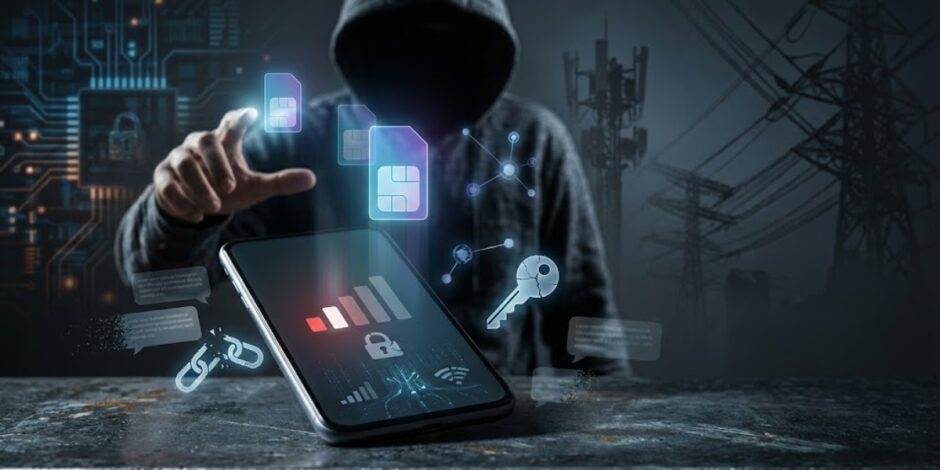
SIM Swap: The Nuclear Option
This is the most dangerous trend of 2025-2026. A hacker contacts your mobile carrier, pretending to be you. Using leaked personal data (often from unrelated breaches), they convince the carrier to port your phone number to a new SIM card they possess.
Your phone goes dead. Their phone gets your signal. When they install WhatsApp and request an SMS code, it goes straight to them. Game over.
Social Engineering 2.0: The “Friend” Trap
Forget the obvious “Prince of Nigeria” scams. Modern attacks are personal. You might get a message from a friend’s actual account (which was already hacked) saying:
“Hey, I accidentally sent a code to your phone. Can you forward it? I’m locked out.”
That code is your verification code. The moment you forward it, you hand them the keys to your account. With AI voice cloning becoming cheaper in 2026, you might even get a frantic voice note that sounds like your friend begging for help.
Voicemail Hacking: The Silent Killer
If hackers can’t get you to share the code, they wait for you to sleep. They request the code via “Call Me”. If you don’t answer, the automated message leaves the code in your voicemail.
Most users never change their default voicemail PIN (often 0000 or 1234). Hackers dial into your voicemail system remotely, guess the PIN, listen to the code, and seize your account.
Early Warning Signs: When to Panic Productively
Speed is your best defense. If you notice these signs, act immediately:
Sudden Signal Loss
If your phone shows “No Service” or “Emergency Calls Only” while you are in a known good coverage area, be suspicious. Check if your Wi-Fi still works. If it does, your SIM might have been swapped.
Unexpected SMS Codes
Receiving a WhatsApp verification code you didn’t ask for is a massive red flag. It means someone has your number and is trying to enter the front door.
“Linked Device” Notifications
If you see a notification that a new device (like “Chrome on Windows”) has linked to your account, and it wasn’t you, you are actively being surveilled.
Prevention: How to Build Your Shield
You don’t need to be a cybersecurity expert to be secure. You just need to change a few settings.
Two-Step Verification (Non-Negotiable)
This is the single most effective defense. Even if a hacker steals your SIM card or intercepts your SMS code, they cannot get in without this second PIN.
How to do it
- Go to Settings > Account > Two-step verification > Turn On.
- Create a 6-digit PIN that is memorable but not obvious. And please no birthdays as PINs. Add an email address for recovery…this is crucial if you forget the PIN.
Carrier Security PIN
Call your mobile carrier today. Ask them to place a “Port Freeze” or add a “Security PIN” to your account. This ensures no one can transfer your number to a new SIM without providing this specific code first.
Voicemail Hygiene
Change your voicemail PIN to a random 6-digit number immediately. Better yet, if you don’t use voicemail, ask your carrier to disable it entirely.
Privacy Checkup
Hide your profile photo from “Everyone”. Change it to “My Contacts”. Hackers often copy your public picture to create a fake profile and scam your friends if they can’t hack you directly.
Recovery: The Escape Hatch
If the worst happens and you are locked out, follow these steps with military precision.
Step 1: The Tug of War
Immediately reinstall WhatsApp and try to register your number again. You will receive a new SMS code. Enter it fast.
Why? Because WhatsApp only allows one active phone session at a time. By logging in, you automatically kick the hacker out.
Step 2: The “7-Day” Standoff
If the hacker was smart, they might have enabled Two-Step Verification (2SV) right after stealing your account. When you enter your SMS code, WhatsApp might ask for a PIN you don’t know.
You can’t guess it. However, by entering the SMS code, you have still logged the hacker out. They are gone. You just can’t see your messages yet. You must wait 7 days for the PIN requirement to reset. It’s painful, but your account is secure during this time.
Step 3: Check Linked Devices
Once you are back in, go to Settings > Linked Devices. Log out of everything immediately to sever any lingering connections.
Conclusion
In 2026, your phone number is your digital identity. Treating WhatsApp security as an option is a luxury you cannot afford. Turn on Two-Step Verification right now… it takes 30 seconds and saves you a lifetime of headaches.