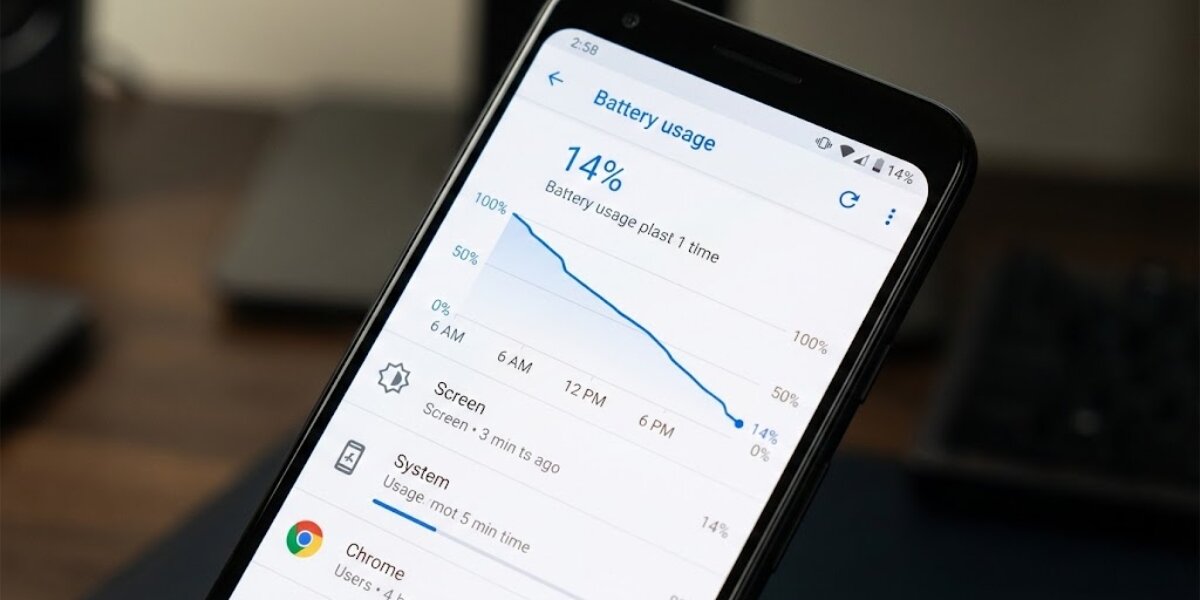
We all know the sheer frustration. You pay a premium for high-speed internet. You expect seamless video calls and instant streaming. Instead, you get the endless buffering wheel. Finding a stable digital connection in Pakistan today often feels like winning the lottery.
Currently, Pakistan struggles significantly with digital connectivity. Recent global rankings place the country at 98th for mobile internet and a dismal 144th for fixed broadband. Naturally, most people immediately blame their Internet Service Provider (ISP). However, the reality is far more complex.
As of March 6, 2026, the internet landscape is undergoing massive shifts. We are just days away from the highly anticipated 5G spectrum auction on March 10. At the same time, national infrastructure changes and localized home setups play a huge role in your daily connectivity.
Let us separate the myths from the facts. Here is a reality-based guide to understanding why your internet is slow in Pakistan, alongside practical fixes that actually deliver results.
The Big Picture: Infrastructure, 5G & the “Firewall”

Before you throw your router out the window, you must understand the macro-level issues affecting the entire country. Sometimes, the slowdown is entirely out of your ISP’s hands.
First, Pakistan relies heavily on international submarine cables. When these cables get damaged, the whole country feels the impact. Recently, submarine cable cuts in Saudi waters near Jeddah disrupted the SMW4 and IMEWE cable systems. This physical damage immediately degraded internet speeds across Pakistan, especially during peak hours.
Second, the national surveillance infrastructure is currently a hot topic. As heavily covered by TechJuice and other outlets, users have faced severe internet disruptions recently. Many linked these slowdowns to a national “firewall”. Just days ago, IT Secretary Zarar Hashim Khan firmly rejected rumors that this firewall was shut down ahead of the upcoming 5G auction.
The PTA Chairman clarified that “firewall” is actually a colloquial term for the Web Monitoring System (WMS). This system has existed since 2006 but received a massive upgrade in 2023. Officials insist the WMS does not slow down internet speeds. However, the WMS uses Deep Packet Inspection (DPI) to monitor communications. Inspecting data at this granular level requires immense processing power. Consequently, when millions of users are online, this centralized processing inevitably introduces lag.
Meanwhile, the government is preparing to auction 597 MHz of new spectrum on March 10, 2026.
Major telecom operators like Jazz, Zong, and Ufone have already deposited their $15 million earnest money. This 5G rollout promises to eventually bring ultra-low latency and massive speed boosts. But until that infrastructure fully matures, you need to optimize what you currently have.
Myth vs. Reality: Interpreting Speed Tests
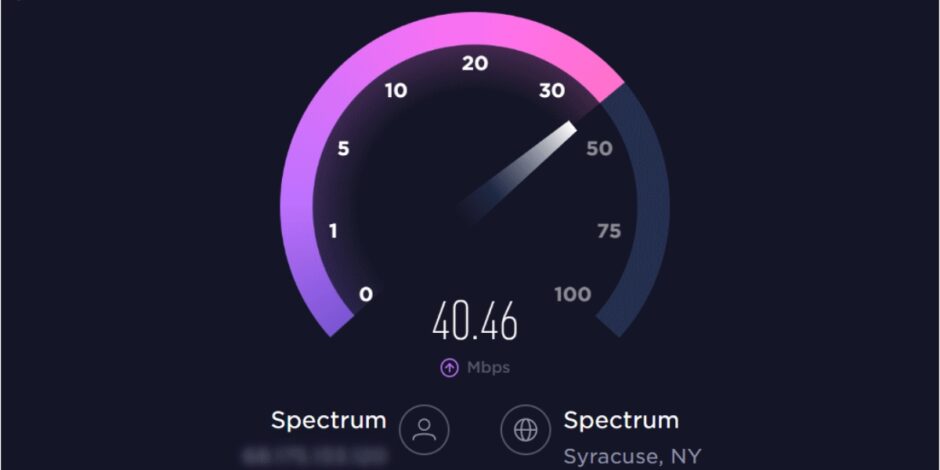
You will often hear people say that if the Ookla speed test says 50 Mbps, then their internet is perfectly fine, and their phone is the problem. This is totally wrong, as speed tests can easily deceive you.
When you run a standard speed test, the app often connects to a local server hosted right here in Pakistan. This localized test completely bypasses the international gateways and the national Web Monitoring System. Therefore, it shows you the raw, unfiltered bandwidth capacity of your local line. However, the modern internet relies heavily on three distinct metrics:
- Bandwidth (Speed): The raw volume of data you can download per second.
- Latency (Ping): The physical time it takes for data to travel from your device to the server and back. High latency causes lag in online gaming and slow page loading.
- Jitter: The variation in your ping. High jitter destroys real-time applications. It causes choppy WhatsApp voice notes and frozen Zoom calls.
If your bandwidth is high but your ping and jitter are terrible, your internet will still feel incredibly slow.
Fix 1: Conquer the Concrete Walls
The architectural design of Pakistani homes is a massive enemy of Wi-Fi. Our homes primarily consist of thick brick, poured concrete, and steel rebar. These dense materials absorb, reflect, and scatter radio frequencies.
Most users hide their routers behind couches, inside wooden cabinets, or on the floor to hide messy cables. This is the worst thing you can do. Enclosed spaces block and weaken the wireless signal instantly. Furthermore, household items like mirrors, microwaves, and even large fish tanks severely disrupt electromagnetic waves.
Here is a quick fix. Place your router in a central, elevated, and open location. Put it on a high shelf. Keep it away from dense furniture and metal appliances. If your house has multiple floors, a single ISP router will never suffice. You should invest in a dedicated Mesh Wi-Fi system. Mesh systems use multiple nodes to create a seamless, unified network that actively routes traffic around physical obstacles.
Fix 2: Master Your Wi-Fi Bands
Modern dual-band routers broadcast two different radio frequencies: 2.4 GHz and 5 GHz. Most users do not understand the difference, leading to terrible network congestion.
The 2.4 GHz band covers a long range and easily penetrates thick concrete walls. However, it is fundamentally slower and highly prone to interference from your neighbors. Conversely, the 5 GHz band delivers blazing-fast speeds and avoids interference. But it has a very short range and struggles to pass through solid brick.
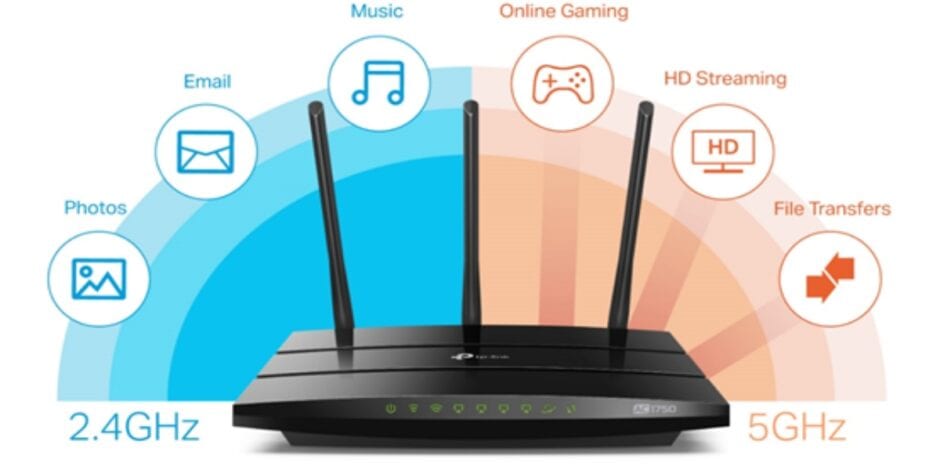
Here is what you can do. Log in to your router’s admin panel and separate the bands into two different Wi-Fi networks. Connect devices that sit close to the router (like smart TVs and gaming consoles) strictly to the 5 GHz network. Relegate distant smartphones, smart home devices, and older tech to the 2.4 GHz network. This strategy instantly frees up high-speed bandwidth for the devices that actually need it.
Fix 3: The Magic of DNS Tweaks
The Domain Name System (DNS) acts as the phonebook of the Internet. It translates readable web addresses into machine IP addresses. By default, your router uses the DNS servers provided by your local ISP. In Pakistan, these servers are frequently overwhelmed, logged, and painfully slow.
The smartest thing you can do is to switch to a reputable public DNS provider. Cloudflare (1.1.1.1) and Google Public DNS (8.8.8.8) are universally recognized for high speeds and low latency. They use Anycast routing to automatically direct your queries to the geographically closest server.
Additionally, you should enable DNS-over-HTTPS (DoH) in your web browser settings. DoH actively encrypts your DNS queries. This hides your browsing requests from basic ISP snooping and bypasses superficial local throttling, resulting in a remarkably snappier browsing experience.
Fix 4: PTCL’s Hidden “Fast Path”
If you use PTCL broadband and struggle with high ping during competitive online gaming, there is a specific toggle you must know about. Standard broadband profiles use an error-correction protocol called interleaving, which stabilizes noisy lines but artificially inflates your ping.
There is a way around that, too. PTCL offers a free feature called “Fast Path” specifically designed for online gamers. You can log into your account on the official PTCL website, navigate to ‘My Account Services’, and select ‘Change latency type’. Switch the setting to ‘Fast’. This action disables the error correction and transmits packets instantly, which can drastically reduce your latency and eliminate gaming lag.
Fix 5: When (and How) to Escalate to the PTA
Sometimes, the fault genuinely lies with your ISP. Network congestion peaks severely between 6:00 PM and 11:00 PM. ISPs inherently over-subscribe their networks. When everyone logs on simultaneously, the local distribution node chokes, and your speed plummets.
- If your internet speed consistently falls below 70% of your subscribed plan, it is time to take action.
- First, restart your router. Unplug it, wait 60 seconds, and plug it back in. This clears the memory and re-establishes a fresh connection.
- If the problem persists, contact your ISP directly and demand an official complaint reference number. If they fail to resolve the issue within a few days, you possess the right to escalate the matter to the Pakistan Telecommunication Authority (PTA).
The PTA has heavily digitized its consumer grievance protocols. You do not have to wait on hold for hours. You can download the PTA CMS mobile application directly from the Google Play Store or Apple App Store. Better yet, use the new PTA Digital Assistant on WhatsApp. Simply save the official number ‘0315-0055055’ and send a message. This automated system guides you through the exact steps to file a formal complaint against your ISP. The PTA guarantees an investigation and acts as the ultimate authority to force operators to honor their service agreements.
Final Thoughts
Navigating the internet in Pakistan requires patience and a bit of technical know-how. While you cannot personally repair a submarine cable in the Red Sea or bypass national surveillance gateways, you retain total control over your home environment. By elevating your router, splitting your Wi-Fi bands, optimizing your DNS settings, and holding your ISP accountable through the PTA, you can drastically improve your daily digital experience.