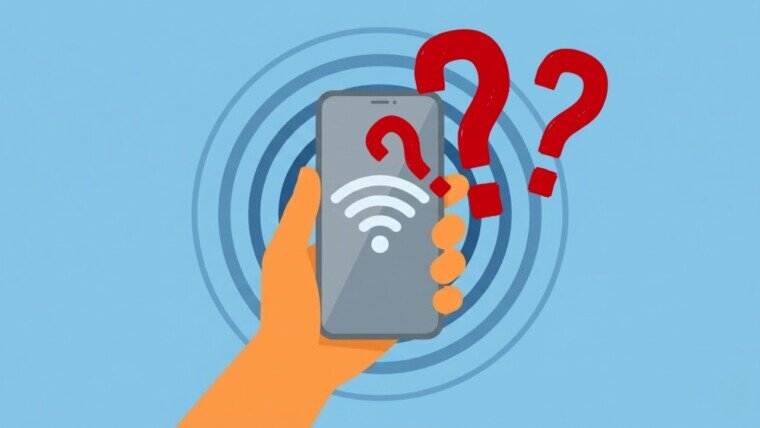
Do you constantly see a frustrating “No Service” notification on your screen? You are certainly not alone. Today, we rely on our smartphones for absolutely everything. Therefore, a sudden loss of network connectivity feels like a major digital disaster.
In 2026, mobile technology provides incredible gigabit speeds. However, modern 5G networks and smartphones are surprisingly fragile. Dropping signals are far more complex today than simply being too far from a cell tower.
If your phone keeps dropping signal, you need to find the exact root cause. Stop guessing. The problem usually falls into one of four distinct categories:
- The device’s hardware
- The SIM card
- The device’s software
- The device’s physical environment
This comprehensive guide breaks down the most common culprits. Consequently, you will learn exactly how to diagnose the issue and restore your connection fast.
Internal Hardware Failures: Is Your Phone Physically Broken?
Modern smartphones pack immense computing power into a tiny space. However, this extreme power creates intense heat. Hardware degradation is a massive reason why your phone keeps dropping signal.
The Dangers of Thermal Cycling
Fast charging protocols and heavy gaming cause the internal Radio Frequency (RF) chip to heat up rapidly. Eventually, this constant heating and cooling causes “thermal cycling”. This physical process cracks the microscopic solder joints located beneath the RF chip. When these joints break, your phone permanently loses its ability to communicate with local cell towers. If your phone gets uncomfortably hot near the camera while displaying a “Searching…” status, your RF power amplifier has likely short-circuited.
Fragile Antennas & Flex Cables
Furthermore, phone antennas are highly delicate. Manufacturers no longer use rigid metal strips inside the phone. Instead, they use complex, fragile flex cables wrapped tightly around the inner edges of the device. Therefore, if you drop your phone, you can easily tear these delicate cables. Even a seemingly minor side-impact drop that leaves the glass perfectly intact can sever the internal antenna.
Water Damage & 5G mmWave
Additionally, water exposure rapidly destroys 5G millimeter-wave (mmWave) antennas. High-frequency mmWave signals share the exact physical size as atmospheric raindrops. Consequently, even tiny amounts of moisture trapped in your phone’s speaker grilles can drastically alter the antenna’s efficiency. Over time, internal corrosion ruins the analog phase shifters. This effectively blinds your phone to high-speed 5G networks.
Hardware Diagnostic Symptoms:
| Observable Symptom | Probable Hardware Failure | Diagnostic Conclusion |
| Wi-Fi / Bluetooth toggles will not turn on. | Communication IC Failure. | The logic board is damaged. Professional repair needed. |
| Intense heat near the camera while searching. | RF Power Amplifier Short-Circuit. | The component is drawing unregulated current. |
| Signal drops instantly from full bars to zero. | Antenna Switching Logic Damage. | The phone cannot switch between internal antennas. |
| Total signal loss after a physical drop. | Severed Antenna Flex Cable. | A physical tear exists in the hardware array. |
SIM Card & eSIM Failures
Your Subscriber Identity Module (SIM) authenticates your device to the carrier’s network. If the SIM fails, the network handshake immediately stops.
Physical SIM Card Wear
Physical SIM cards undergo daily wear and tear. Generally, a standard physical SIM card lasts about 5 to 10 years. After a few years, the microscopic gold contacts oxidize, scratch, and degrade. Moreover, older SIM cards simply lack the modern security protocols required for stable 4G and 5G connections. If your card is old, you must ask your carrier for a replacement.
eSIM Provisioning & Roaming Bugs
Meanwhile, embedded SIMs (eSIMs) face entirely different problems. Because eSIMs rely strictly on software, they frequently suffer from complex routing errors. For example, when you travel across an international border, your phone might stubbornly cling to your home network. You will lose service completely unless you manually turn on the “Data Roaming” toggle in your settings.
Furthermore, corrupted Access Point Name (APN) settings will block your internet access entirely. If you have full signal bars but zero data throughput, a corrupted APN is usually the hidden culprit.
Software Glitches & Cyber Threats
Your software controls your network connection. Operating system bugs and security threats cause massive connectivity headaches worldwide.
Operating System Regressions
Recently, major operating system updates wrecked network stability for millions of users. For instance, the Android 16 update triggered severe Wi-Fi and cellular dropouts. Users discovered that dual-SIM configurations actively tied up the network stack, resulting in complete signal loss. Similarly, Apple users faced devastating “SOS Only” errors immediately after downloading the iOS 26.3.1 update. The firmware failed to hand off connections properly, forcing users to constantly restart their devices.
Zero-Day Exploits
Additionally, cybersecurity threats disrupt connectivity behind the scenes. Throughout 2025 and 2026, hackers aggressively targeted network infrastructure, VPNs, and security appliances using zero-day exploits. These highly sophisticated attacks subtly alter data routing. Consequently, users experience localized “ghost outages”. These targeted attacks look exactly like standard carrier drops to the average user.
Your Physical Environment: Walls, Weather & Space
Your physical surroundings drastically impact your signal strength. Radio waves cannot magically pass through solid matter without losing energy.
Architectural Faraday Cages
Modern energy-efficient buildings heavily utilize Low-Emissivity (Low-E) glass and foil-backed thermal insulation. These materials act as perfect electromagnetic shields. They bounce cellular radio waves right back into the street. Furthermore, concrete, steel girders, and dense brickwork actively absorb radio waves. Vehicles create similar problems. Cars and trains act as mobile Faraday cages because their metal frames and tinted safety glass severely block signals.
Weather & Solar Flares
Nature also plays a massive role in connectivity. Heavy rain, thick fog, and snow severely weaken high-frequency 5G signals. Moreover, space weather actually breaks cellular networks. In late 2025, an intense X5.1-class solar flare hit Earth. This massive event triggered strong radio blackouts across Europe and Africa. Solar storms disrupt satellite backhaul links and GPS timing systems, which terrestrial cell towers desperately need to function properly.
Carrier Networks: Bandwidth & Outages
Sometimes, the fault lies entirely with your mobile operator. A single cell tower possesses a finite amount of spectrum bandwidth.
Network Congestion
Network congestion is a primary offender in cities. During morning commutes or at crowded stadium concerts, thousands of phones fight for the exact same bandwidth. Consequently, your phone might display four signal bars, but nothing loads. The tower is simply overwhelmed and artificially throttles your speed.
Frequency Bands & Upgrades
Carriers strategically use different frequency bands to solve these dead zones. Low bands (like 700 MHz) travel great distances and penetrate concrete buildings perfectly. High bands (like 3500 MHz) deliver incredible 5G speeds but cannot penetrate walls.
To fix severe congestion, governments regularly auction new spectrums. For instance, in March 2026, the Pakistan Telecommunication Authority qualified major operators like Jazz, Zong, and Ufone for a massive 5G spectrum auction. The government offered strategic bands ranging from 700 MHz to 3500 MHz to completely overhaul the nation’s network capacity. Until local carriers continuously upgrade these bands globally, users will suffer from dropped calls.
Finally, total core network failures happen without warning. In early 2026, a massive Verizon outage pushed millions of phones in the United States directly into “SOS Only” mode. When the carrier’s backbone fails, you have no choice but to wait.
How to Fix a Dropping Phone Signal Fast
If you want to restore your signal, follow this simple, tiered diagnostic checklist. Stop guessing and start isolating the problem.
Quick Fix Troubleshooting Guide:
| Step | Action Required | Why It Works |
| 1. The Baseband Flush | Toggle Airplane Mode ON for 15 seconds, then OFF. | Forces the phone to dump its cached routing data and reconnect to the nearest tower. |
| 2. Lock Network Mode | Change settings from “5G Auto” to “LTE/4G Only”. | Stops the phone from aggressively draining the battery while hunting for weak 5G signals. |
| 3. Check eSIM Settings | Turn on “Data Roaming” in your cellular menu. | Crucial for international travel. Prevents the eSIM from clinging to a dead home network. |
| 4. Reset Network Settings | Go to General > Reset > Reset Network Settings. | Purges corrupted APN profiles and clears deeply embedded software bugs. |
| 5. Clean the SIM | Remove the physical SIM. Wipe gold contacts with a dry cloth. | Removes microscopic oxidation that blocks the electrical handshake. |
| 6. Remove Your Case | Take off thick, metallic, or magnetic phone cases. | Prevents the case from physically blocking the internal antenna bands. |
Conclusion
A dropping phone signal is incredibly frustrating, but it is rarely a mystery. As networks become faster, the technology required to access them becomes far more fragile. By systematically checking your software settings, inspecting your SIM card, evaluating your building materials, and watching out for hardware overheating, you can quickly identify why your phone keeps dropping signal.