Adobe has rolled out a new generative AI feature that transforms static PDFs into podcasts and presentation-ready content, signaling a broader push to reposition documents as dynamic, multi-format media rather than fixed files. The update, now being introduced across Adobe’s document ecosystem, allows users to automatically convert dense text into narrated audio or structured slide-style summaries with minimal manual input.
According to Adobe, the new capability is designed to address how people actually consume information in 2026. Official sources said the feature targets professionals, students, and creators who increasingly want to absorb long documents while multitasking or quickly repurpose written material for meetings, classes, or briefings.
According to the company blog:
AI Assistant quickly creates an outline and asks if you’d like to generate a presentation. You can choose the length of your presentation and the tone of voice. Behind the scenes, Acrobat taps into the quick and easy tools of Adobe Express and surfaces a library of professional presentation designs to choose from.
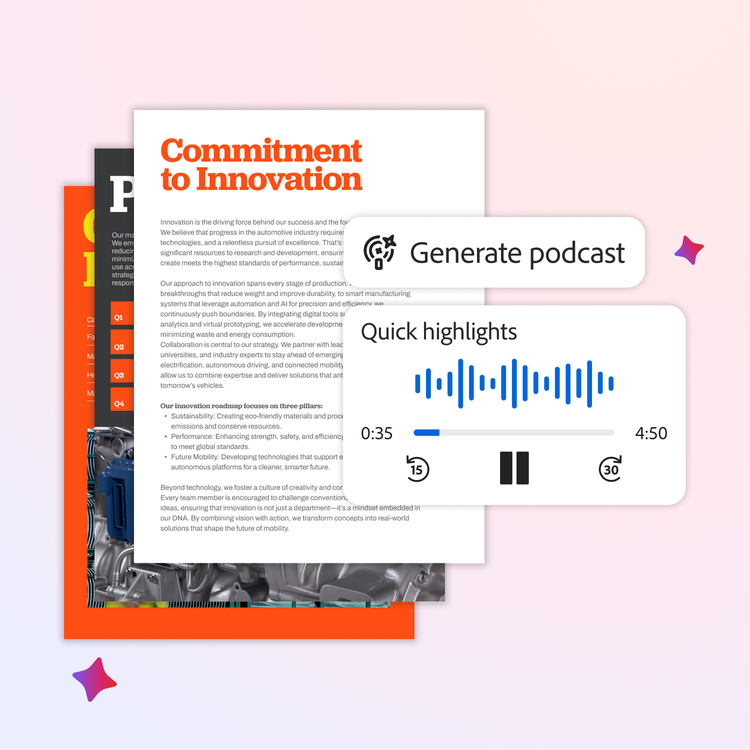
At the center of the update is Adobe’s AI summarization and content-structuring system, which analyzes a PDF’s layout, headings, and semantic structure before generating alternative formats. When converting a document into a podcast-style output, the system produces a natural-sounding narration that condenses key points rather than reading the file verbatim. For presentations, the AI reorganizes content into slide-friendly sections, highlighting major arguments, data points, and conclusions.
Unlike earlier document-to-audio tools that simply converted text to speech, Adobe’s system emphasizes interpretation. The AI determines what information should be emphasized, shortened, or excluded, creating outputs that resemble human-curated summaries rather than automated exports. Adobe said this approach is intended to reduce the friction between reading, listening, and presenting, especially for long reports, research papers, and business documents.
The feature is being integrated into Adobe’s existing PDF workflow rather than launched as a standalone tool. That strategy reflects Adobe’s broader effort to embed generative AI directly into creative and productivity software, following recent updates to Photoshop, Illustrator, and Premiere Pro that introduced AI-assisted editing and content generation.
According to Adobe:
These new features are available in Acrobat Studio, which brings the best of Adobe’s PDF tools, smart workspaces, personalized AI Assistants and standout content creation into your professional, school and personal work. With Acrobat Studio:
-
Sales professionals can collaborate with account teams in PDF Spaces, create high-impact pitch decks and use podcast-style audio overviews for hands-free prep.
-
Marketing teams can organize market research data in PDF Spaces, transform insights into AI-powered presentations and create targeted marketing materials.
-
Legal Advisors can streamline contract work, create polished legal documents and use personalized podcasts to quickly understand complex updates.
-
Students can generate study guides, collaborate on group projects in PDF Spaces and create presentations for class assignments.
-
Parents can manage school schedules, travel plans, and holiday logistics in PDF Spaces, and create audio updates for family organization
PDFs have long been considered final, static outputs. Adobe’s update reframes them as source material that can be continuously adapted for different contexts, from listening during commutes to presenting in meetings.
Adobe is stepping up its game by allowing users to edit PDFs with natural language. Thanks to AI Assist, you can simply ask Acrobat to rewrite sections, summarize content, or make changes using straightforward prompts instead of fiddling with manual tools.
The latest update enhances Acrobat’s ability to grasp document structure, making it a breeze to pull insights from intricate files like contracts or technical reports. With AI now woven into its fabric, Acrobat is evolving from just a document viewer into a dynamic tool for creating, learning, and sharing information in more adaptable ways.
But Adobe’s AI ambitions don’t stop with Acrobat. New AI tools in Premiere are designed to simplify video editing workflows, and users can now access Adobe’s photo and PDF editing features right within ChatGPT, allowing for a faster and more intuitive experience.