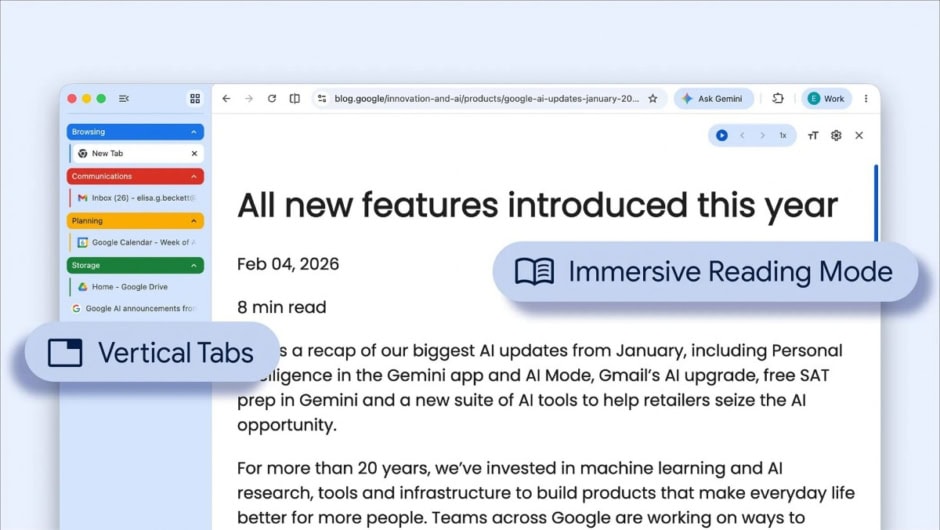
Google is finally bringing two much-requested features to desktop Chrome, catching up with tools users have seen elsewhere for years. The update adds vertical tabs and a redesigned reading mode, both aimed at improving how people browse and focus. While the rollout comes later than expected, the changes should still make a noticeable difference in daily use.

The first feature, vertical tabs, changes how open pages are displayed. Instead of a long row across the top, tabs now appear in a vertical list on the side. This layout makes it easier to view more tabs at once without shrinking them too much. It also helps users stay organized, especially when working with many pages.
At the same time, the vertical column can be collapsed when not needed. This gives users more space for actual content. Since most screens are wider than they are tall, this setup uses space more efficiently. As a result, browsing feels cleaner and less cramped.
Google is also updating its reading mode, which previously felt unusual compared to other browsers. Earlier, the feature opened in a split view beside the main page. This approach often distracted users instead of helping them focus. Now, the experience is changing more practically.
The new reading mode opens across the full screen, covering the original page completely. It removes clutter and distractions, making articles easier to read. This brings Chrome in line with how other browsers handle similar features, offering a smoother reading experience.
At the time of writing, neither feature was available in version 147.0.7727.56. However, Google is expected to roll them out gradually over the coming days. Users should start seeing these updates soon as Chrome continues to refine its desktop experience.