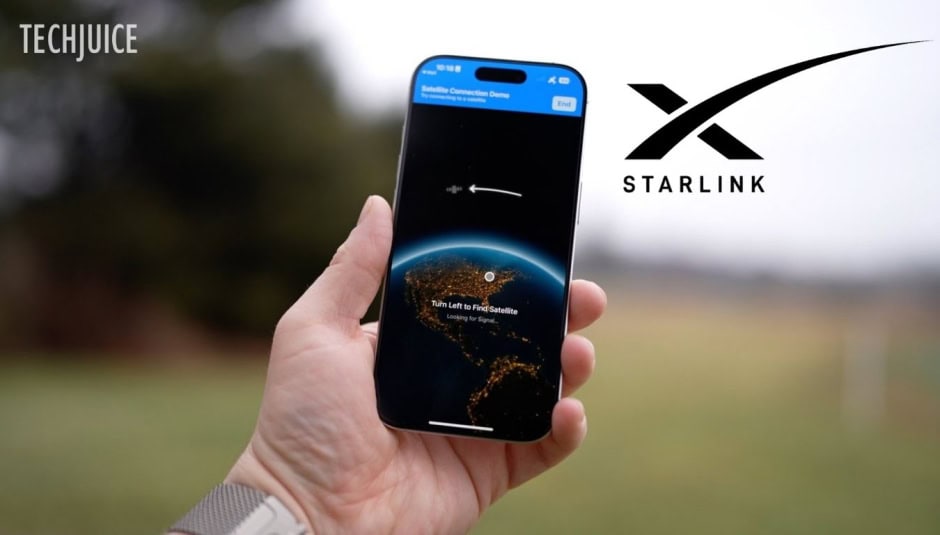
Starlink satellites can now connect to an iPhone, but this change has made people confused and worried. The function, its intended use, and the means by which it can be disabled are detailed below. Numerous new features were included in the most recent iOS 18.3 update for iPhone users. There were a plethora of bug patches, new Unity wallpapers, and enhanced Visual Intelligence for plant and animal recognition. However, support for Starlink satellites was one notable change in this upgrade.
Impact of Starlink Support on iPhone Users
Any version of the iPhone14,15, or 16 can use the satellite feature. It’s not new, but Starlink support is a recent addition.
When certain customers are outside of cell phone coverage areas, they can rely on Starlink satellites. Wonderful at times of crisis or when you’re far from civilisation. As previously mentioned, the iPhone has capability for the band 25–1900MHz spectrum, which the satellites use to connect. Compared to Apple’s long-standing satellite support, this one operates differently.
With the supported devices, Apple currently provides services like Emergency SOS, Find My, roadside help, and messaging via satellite.When these devices are not in range of a cell tower, they may still make short text messages or call for help due to the satellite link. Just make sure you’re within the satellite’s viewable range; otherwise, it won’t work.
How to Turn Off Starlink Support on Your iPhone
The iOS 18.3 update has several advantages, including security fixes, regardless of your feelings towards him.
People are hesitant to update because they are afraid Musk may get access to their data, which is understandable but unwarranted. Turning off or turning back on Starlink support is a breeze.
- Go to Settings – After updating your iPhone to iOS 18.3, open the Settings app.
- Navigate to Cellular – Select Cellular and tap on T-Mobile (or any other carrier that may be supported in the future).
- Disable Satellite Support – Locate the satellite support toggle and switch it off.
Keep in mind that this isn’t a permanent deactivation, so it won’t prevent future updates or require you to downgrade your device. As for privacy, Starlink only has access to the same level of data as any other internet service provider provided your traffic routes through their domain name servers. If it doesn’t, they won’t have any visibility into your data.
Starlink vs. Globalstar: A Comparison
Apple initially partnered with Globalstar to enable satellite connectivity on iPhones. The company, partly founded by Qualcomm, is now 20% owned by Apple.
To use Apple’s satellite feature, you need a clear view of the sky and horizon. Obstacles like mountains, trees, and buildings can slow down or block the connection. Additionally, you must physically hold your iPhone up to establish a satellite link—not the most convenient solution, but it can be a lifesaver in an emergency.
How Starlink Differs
Starlink, on the other hand, has a much larger satellite network, making connections more seamless. Unlike Apple’s system, you don’t need to hold your phone up. Your iPhone can remain in your pocket or bag and still receive messages. It automatically switches to Starlink when cell service is unavailable, providing a smoother experience compared to Apple’s emergency-focused approach.
Currently, Starlink’s satellite connectivity only supports messaging, but future updates are expected to include phone calls and data, which could be a game-changer.
Apple Didn’t Partner with Starlink
To be clear, Apple is not partnered with Starlink. This feature comes from a T-Mobile and Starlink collaboration, not Apple. It wasn’t even mentioned in Apple’s iOS 18.3 release notes because it’s a T-Mobile network feature, not an iPhone feature.
The rollout began with select Samsung devices before surprisingly expanding to iPhones. However, this feature is currently limited to select T-Mobile users in the U.S. who have been accepted into the beta program. That means it’s not yet available on all iPhones or even all T-Mobile devices—but that could change in the future.