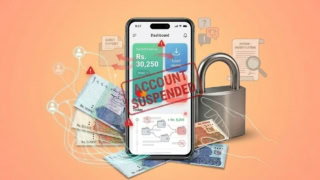
Picture a bustling street in Karachi, a student taps their phone to pay for chai, a freelancer in Lahore cashes out a global gig in seconds, and a small business owner in Islamabad settles supplier dues without stepping into a bank.
This is only the beginning of a dream of Pakistan’s fintech revolution. Luckily, we are seeing it unfold right in front of us. With over 60% of its 240 million people under 30 and mobile penetration racing toward 91% by 2031, the nation is primed for a digital financial awakening.
Leading this charge are SadaPay and NayaPay, two trailblazing digital wallets rewriting the rules of money management. SadaPay, born in 2018 and snapped up by Turkish fintech titan Papara for $50 million in 2024, offers seamless simplicity with its Mastercard-backed platform.
Meanwhile, NayaPay, Pakistan’s first SBP-licensed EMI since 2021, flexes its $13 million-backed muscle as a feature-packed super-app with a Visa edge. These platforms have become a hope for freelancers’ financial freedom for a tech-hungry generation.
But do they really hold up to those standards? What are the challenges users face using both these digital wallets? Let’s dive in.
SadaPay: Features, Sign-Up, and User Experience
Founded by Brandon Timinsky, SadaPay has soared since its $50 million acquisition by Papara on February 17, 2024, blending Pakistani innovation with global fintech prowess.
Sign-Up Process
- Grab the app from the App Store or Google Play.
- Punch in your CNIC and personal info.
- Head to a NADRA e-Sahulat center for biometric verification (Rs. 120, refunded).
- Activate your account and snag a free virtual Mastercard.
Sending Money
Enjoy free, instant transfers to any bank or wallet via Raast. For freelancers, SadaBiz unlocks up to PKR 900,000 monthly in USD, convertible at market-friendly rates.
Privacy and Security
SadaPay locks down your data with encryption and a numberless Mastercard, viewable only in-app. No breaches have been reported as of writing this article.
Helpline and Maintenance
Reach out 24/7 via in-app chat or email (support@sadapay.pk).
Supported Billers
Pay over 900 billers, including popular options like:
- Utilities: K-Electric, LESCO, IESCO, etc.
- Gas: SSGC, local providers
- Telecom: Jazz, Telenor, PTCL, Transworld Internet
- Education: LUMS fees, etc.
Additional Features
- M-tag: Not available.
- Donations: Yes, support causes like the Edhi Foundation.
- QR Codes: Scan and pay with Mastercard.
- Physical Card: Free, sleek numberless Mastercard.
- Cash Withdrawals: Three free ATM withdrawals monthly; fees kick in after.
User Feedback: Users rave about the clean UI but grumble over occasional reliability hiccups and account freezes.
Common Problems and Service Issues
-
Delayed Transaction Settlements
Some users experience delays in transferring funds to bank accounts, especially during weekends or late hours. -
App Crashes or Freezes
Occasional reports of the SadaPay app crashing mid-transaction or freezing during login or biometric verification. -
Poor Customer Support Response Time
Users have shared experiences of waiting several hours (and sometimes days) to get responses to urgent support queries. -
Inconsistent Card Delivery Times
While SadaPay promises 2–5 days for card delivery in metro cities, some users in smaller towns have reported delays of 7–10 days. -
Declined International Payments
Some users have faced issues with their SadaPay Mastercard being declined for international purchases, especially on sites requiring 3D Secure. -
Limited Cash Deposit Options
Currently, SadaPay doesn’t support physical cash deposits, which restricts usability for users without access to digital funds. -
No Web Portal Access
All account functions are limited to the mobile app, making it difficult for users who prefer or need access via desktop. -
One-Time Password (OTP) Issues
Users occasionally report not receiving OTPs for critical transactions or sign-ins, leading to delays and failed verifications. -
Inactivity Lockouts
Accounts that are inactive for prolonged periods sometimes face login difficulties or re-verification requirements. -
No Joint Accounts or Family Access
SadaPay currently does not support shared wallets or family spending controls, which is a requested feature by many users.
NayaPay: Features, Sign-Up, and User Experience
NayaPay made history as the first FinTech to snag an EMI license from the SBP in September 2021, fueled by $13 million in seed funding.
Sign-Up Process
- Download from the App Store or Google Play.
- Enter your CNIC and details.
- Verify biometrics for free at Meezan Bank branches or ATMs.
- Set up your E-Money account and get a free Visa virtual card.
Sending Money
Free transfers between NayaPay users; up to PKR 25,000 monthly to banks (0.1% fee beyond). Links with 60+ global remittance partners via Raast ID.
Privacy and Security
Certified PCI DSS and ISO 27001, NayaPay uses biometric and MPIN checks. Funds sit safe in a trust account, and it has never had a reported breach.
Helpline and Maintenance
Get help 24/7 via app, phone (021-111-222-729), or email (support@nayapay.com). Maintenance happens overnight, out of sight.
Supported Billers
Pay over 1,100 billers, including key services like:
- Utilities: IESCO
- Gas: SNGPL
- Telecom: Jazz, Ufone
- Education: Punjab University, among many others.
Total Billers: Over 1,100, making it one of Pakistan’s widest digital bill payment platforms.
Additional Features
- M-tag: Yes, perfect for motorway tolls.
- Donations: Yes, e.g., Saylani Welfare.
- QR Codes: Pay via Visa.
- Physical Card: Order the Electric Orange Visa.
- Cash Withdrawals: Rs. 23.44 per withdrawal.
User Feedback: Loved for its versatility, but users flag high international fees and a cluttered interface.
Common Problems and Service Issues
-
Account Blockages Without Clear Notice
Users reported being blocked for “suspicious transactions” without prior warning. Resolution can take weeks, sometimes with no clear update or timeline. -
Funds Stuck or Lost After Transfer
Failed transfers or payments to blocked accounts often result in funds being trapped. Dispute resolutions are slow, and refunds are not always issued. -
Poor Customer Support
Complaints highlight slow, unhelpful responses in dispute cases. Some support channels reportedly ignore follow‑ups after initial contact. -
Failed International Transactions or Delayed Processing
Transactions may be declined or delayed despite prompt user action. Funds may get debited but not credited to the merchant, and disputing takes time. -
High Foreign Exchange / International Fees
Users frequently report significantly higher FX charges and markup rates, especially for international card payments. Fee disclosures may feel opaque or confusing. -
Account Verification Failures or Delays
Some users experience failed biometric or KYC verifications, with no in-app option to re-submit documents. Verification via Meezan Bank may also fail or get delayed. -
App Crashes and Performance Issues
Users mention app freezes during transactions, slow responsiveness when changing PIN/MPIN, or lag when navigating popular features. -
Rooted Devices Unsupported
iOS or Android devices rooted or using custom ROMs may be blocked from using the NayaPay app entirely. -
Security Concerns / Unauthorized Access
Occasional alerts prompt users to reset PINs after suspected unauthorized access. Some users were notified of possible fraud but with limited follow‑up. -
Card Use Problems
Delays in physical card delivery, unexplained card blocks, and denied international transactions without prior notification are frequently flagged.
Feature & UX Comparison
- NayaPay packs more features, but SadaPay’s UX steals the show. Both zip through free transfers. NayaPay tosses in ISP speed boosts for bill payments, while SadaPay’s Raast saves ~PKR 300/month on bank hops.
- For a $5 Steam buy, SadaPay’s rate (PKR 284) trumps NayaPay (PKR 288). Taxes align, but SadaPay’s fees are lighter. Mastercard costs may climb higher than Visa, though.
Fees, Limits & Pricing
| Feature | NayaPay | SadaPay |
|---|---|---|
| Debit card fee | Virtual Visa PKR 600, Physical free | MasterCard PKR 1,260 one-time |
| Local transfers (Raast) | Free; PKR 4 + 0.005% above PKR 25k/month | Free |
| International transactions | 0.25% fee | 5% fee |
| ATM withdrawals (local) | PKR 35 | PKR 23.44 |
| ATM withdrawals (international) | PKR 200 | (not listed) |
| Incoming remittances | — | Free |
Customer Service & Trust
- SadaPay: Gripes include slow support and frozen funds though Mastercard fans stay loyal.
- NayaPay: Complaints of scams, blocked accounts, and extra charges on failed tries.
NOTE: Please note that the complaints listed are supported by multiple anectodal sources.
Comparison: SadaPay vs. NayaPay
| Feature | SadaPay | NayaPay |
|---|---|---|
| Sign-Up | NADRA, Rs. 120 (refunded) | Meezan Bank, free |
| Money Transfers | Free, unlimited | Free up to PKR 25,000 |
| Security | Encryption, numberless card | PCI DSS, biometric |
| Helpline | In-app chat, email | App, phone, email |
| Maintenance | Late nights | Overnight |
| Billers | 900+ | 1,100+ |
| M-tag | No | Yes |
| Donations | Yes | Yes |
| QR Codes | Yes (Mastercard) | Yes (Visa) |
| Physical Card | Free Mastercard | Orderable Visa |
| Cash Withdrawals | 3 free/month | Fees apply (PKR 23.44) |
SadaPay’s Mastercard is free and secure; NayaPay’s Visa offers wider ATM reach but at a cost.
Conclusion
SadaPay, with its minimalist charm and freelancer-friendly SadaBiz, delivers a frictionless experience that’s hard to beat.
NayaPay, armed with its super-app ambitions and SME-boosting Arc, offers a toolbox for the ambitious.
Together, they’re stitching financial inclusion into the fabric of a nation where youth and tech collide. SadaPay’s edge lies in cost-effective ease; NayaPay’s strength is its all-in-one versatility.
Both are secure, both are bold, but your pick hinges on what you value most. Don’t just read about it: download them, test them, and find out for yourself which one’s your go-to.