
WhatsApp has introduced parent-managed accounts for pre-teens, adding tighter controls for younger users. The feature is rolling out globally and focuses only on messaging and calling.
With this update, parents take full control of the account setup. They decide who can contact their child and which groups the child can join. In addition, parents can review message requests from unknown contacts. They can also adjust privacy settings at any time. Every change stays protected behind a six-digit parent PIN.
The company says the goal is simple. It wants to give families more control while keeping the core WhatsApp experience intact. As concerns around online safety grow, this move gives parents a direct role in managing how their children use the app.
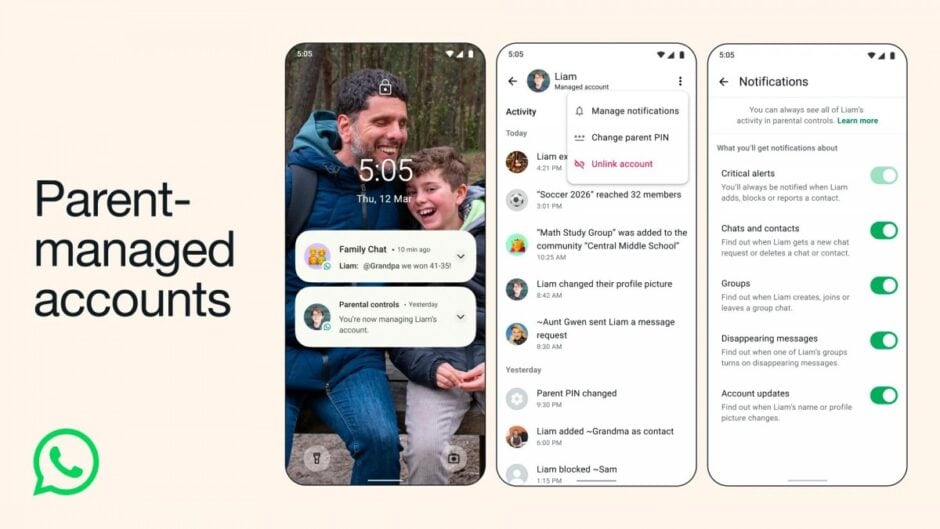
How to Set Up a Parent-Managed Account
The rollout may take time to reach everyone. So, some users might not see the option immediately.
Setting up the account is straightforward. First, download WhatsApp on your child’s device. During setup, tap More options and select “Create a parent-managed account.” Then register and verify your child’s phone number. You must enter their birthday and confirm their age.
After that, scan a QR code displayed on your child’s phone. This step links their WhatsApp account to yours. Finally, create your six-digit parent PIN to lock in control.
For WhatsApp, this update reflects a broader push toward safer digital spaces for younger users. For parents, it offers clearer visibility and stronger oversight inside one of the world’s most popular messaging apps.