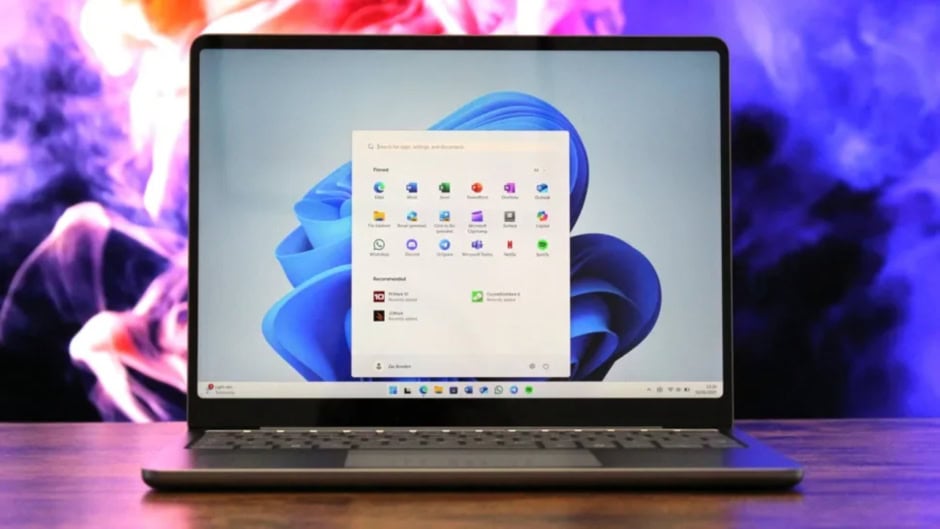
For years, clicking “Update and Shut Down” on a Windows PC did not actually shut it down. The computer would install updates, restart, and land on the login screen. Users who clicked the button before bed would wake up to find their PC running all night. Microsoft has finally acknowledged the bug and shipped a fix in Windows 11.
The fix arrives through the optional KB5067036 update for Windows 11 versions 24H2 and 25H2. It first appeared in Build 26200.7019 for 25H2 and Build 26100.7019 for 24H2. Users who do not install the optional update will receive the fix automatically through the November 11 Patch Tuesday rollout.
Microsoft’s changelog confirmed the issue plainly. The company stated it had fixed an underlying problem that could cause “Update and Shut Down” to not actually shut down the PC afterward. That single line validates what millions of users have reported for years across forums, Reddit threads, and tech support pages. The behavior was not a feature. It was not user error. It was a bug baked into the update flow logic.
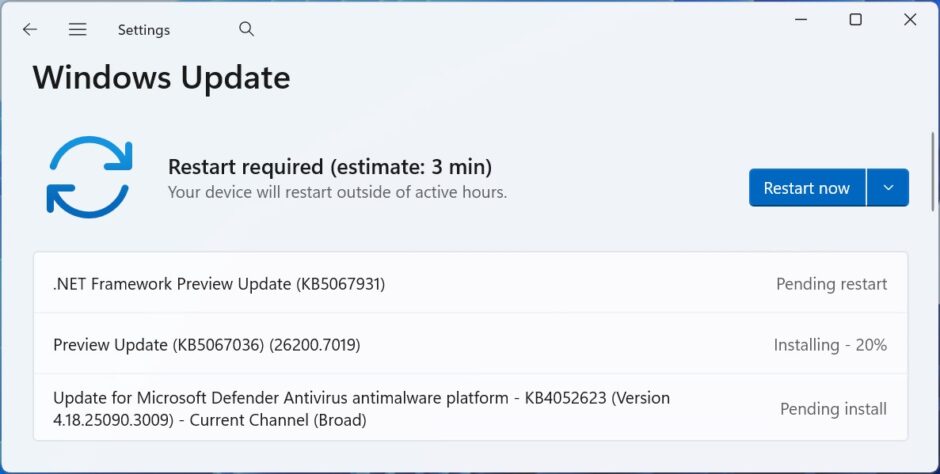
The problem dates back to at least Windows 10, though some reports trace similar behavior to Windows 8. When users selected “Update and Shut Down,” the system processed updates correctly. However, instead of powering off completely, it performed a restart. The PC would boot back to the lock screen or desktop. The behavior was inconsistent too. Sometimes it worked correctly. Other times, the same PC with the same settings would restart instead.
This inconsistency made the bug particularly maddening. Users could not reproduce it reliably. Therefore, many assumed they had clicked the wrong button. Forum posts from years of frustrated Windows users confirm this pattern of self-doubt. Some users created elaborate workarounds involving command-line scripts and scheduled tasks just to force a proper shutdown after updates.
The fix currently applies to Windows 11 only. Despite the bug also affecting Windows 10 users over the years, Microsoft has not confirmed an equivalent patch for the older operating system. This matters because Windows 10 still runs on hundreds of millions of PCs worldwide. However, with Microsoft ending Windows 10 support, the company appears focused on resolving the issue exclusively within Windows 11.
Beyond the shutdown fix, KB5067036 includes several other changes. The update introduces a redesigned Start menu that lets users switch between grid, list, and category layouts. There are also performance improvements to Search and simplified update naming conventions.
This patch fits into Microsoft’s broader 2026 campaign to repair Windows 11’s reputation. Earlier this year, Windows president Pavan Davuluri publicly acknowledged that user complaints had reached a tipping point. The company committed to fixing core pain points throughout 2026, including the movable taskbar restoration, Windows Update overhauls, reduced Copilot integration in core apps, and significant performance improvements across File Explorer and the Start menu.
For a company that builds software used by over a billion people, fixing a single button took remarkably long. However, the fact that Microsoft finally acknowledged the bug rather than ignoring it signals a genuine shift in priorities. Whether that shift holds through 2027 remains the real question.