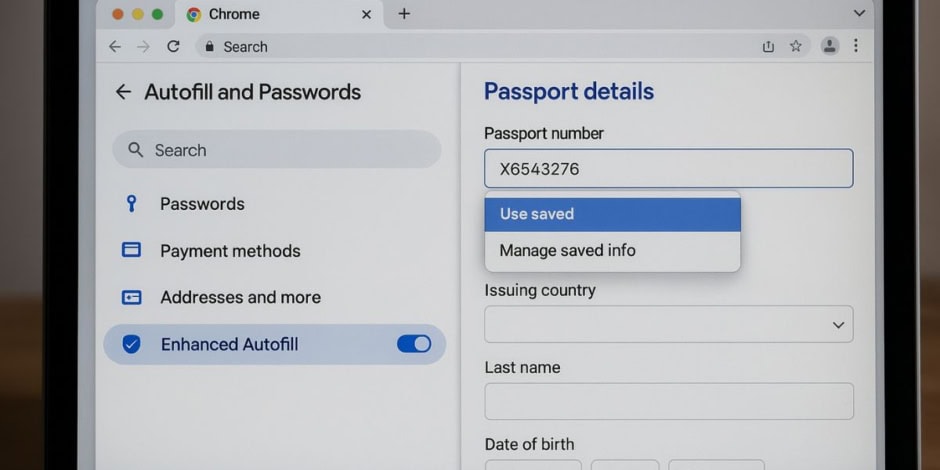
Google Chrome has unveiled a major upgrade to its Autofill feature. With the latest Enhanced Autofill release, desktop users can now have Chrome fill in passport numbers, driver’s licence details, vehicle registration info such as license plate numbers and VINs, in addition to the addresses, passwords and payment data Autofill already managed.
What’s New in Practical Terms
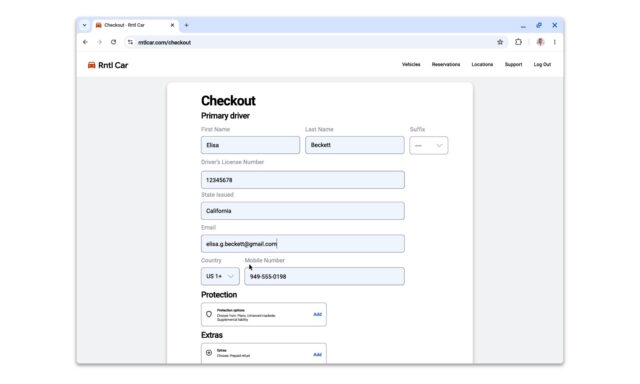
When you enable Enhanced Autofill through the settings menu, Chrome will prompt you to save ID or vehicle related information when you enter it into a supported form. Once saved, that data can be auto filled when you land on matching input fields, for example, when filling out a visa application, car rental form or government portal. Google says the rollout is global and covers all languages.
Alongside expanded data types, Chrome is also improving its form recognition logic, meaning better support for unusual input formats, differing field labels and non standard layouts.
On the privacy front, Google stresses that it will only save data with user consent, store it encrypted, and ask for confirmation before autofilling on a given site.
Potential Trade Offs and Things to Watch
- Data exposure risk: While Chrome encrypts saved data and asks for permission, storing sensitive identifiers like passport or licence numbers increases the potential attack surface if a device or profile is compromised.
- Mobile delay: The current rollout focuses on desktop. It remains unclear when the same functionality will reach mobile browsers.
- Form coverage: Not all websites use standard form fields for IDs or vehicles. Some may still misrecognize input or block Autofill altogether. Google acknowledges the need to support more data types in coming months.
- User vigilance required: Because the feature can fill extremely sensitive information, users must ensure they only allow it on trusted sites. The convenience factor should not override caution.
How to Try It
- Open Chrome on a desktop device.
- Navigate to Settings, then Autofill and Passwords, and choose Enhanced Autofill.
- Toggle the feature on and optionally save ID or vehicle details when prompted.
- On supported forms such as passport, driver’s licence, or vehicle registration, you’ll see Chrome offer to fill in the information.
In a blog post, Google says:
Chrome already saves you time every day by securely filling in your addresses, passwords and payment information. Today, we’re making it even more helpful. For desktop users with enhanced autofill enabled, Chrome can now also fill in your passport and driver’s license number, vehicle info (like license plate or VIN) and more. It can also better understand complex forms and varied formatting requirements, improving accuracy across the web.
We’ve designed enhanced autofill to be private and secure. When you enter relevant info into a form, Chrome will save this data only with your permission and protect it through encryption. And before filling in saved info on your behalf, Chrome will ask you to confirm, keeping you in full control of your data.
Starting today, these updates are available globally in all languages, and we plan to support even more data types over the coming months.