Meta announced the rollout of an improved Meta Account system that consolidates login and settings management across all Meta apps and devices including Facebook, Instagram, Threads, Meta AI, AI glasses and Meta Quest headsets into a single centralized platform.
Automatic Rollout and Key Features
Accounts Center will automatically update to Meta Account over the next year through a gradual rollout. All technologies currently part of a user’s Accounts Center will automatically appear in Meta Account with notification when the transition occurs. The day-to-day user experience remains unchanged, with the system designed to make signing in and managing settings easier.
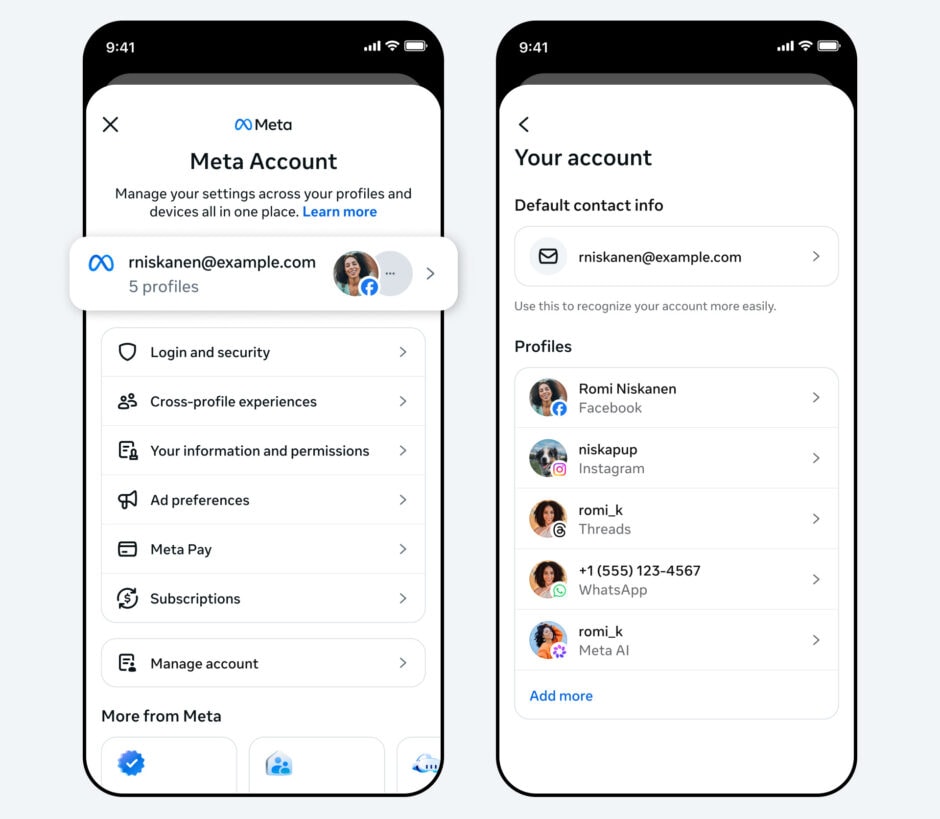
Meta Account enables users to optionally set up a single password to log into all apps and devices, eliminating the need to remember multiple passwords. When downloading new Meta apps or setting up new devices, Meta Account allows quick setup without creating another login and profile from scratch.
WhatsApp integration remains optional.
Users who previously added WhatsApp to Accounts Center will see it carry over to Meta Account and can remove it anytime. Users who have not added WhatsApp to Accounts Center will keep WhatsApp separate from Meta Account and can manage it independently. Personal messages and calls remain private and end-to-end encrypted.
Enhanced Security and Passkey Support
Meta Account includes enhanced security protections designed to keep user information safe without requiring extra effort. Passkeys offer a more secure alternative to traditional passwords, letting users log in with fingerprint, face recognition or device password. With Meta Account, passkeys now work on Instagram in addition to Facebook and Messenger, with more apps coming soon. WhatsApp passkeys are managed within WhatsApp independently.
Account security systems work around the clock to detect and stop suspicious activity, helping prevent unauthorized access before it causes harm. Security Checkup is streamlined with Meta Account, helping users stay updated on protections like multi-factor authentication and login alerts across Meta technologies.
Meta Account uses industry-leading security features including passkey login, proactive safeguards and personalized Security Checkup to keep user information safe. Users have full control over privacy settings and account security.
Centralized Settings and Parental Controls
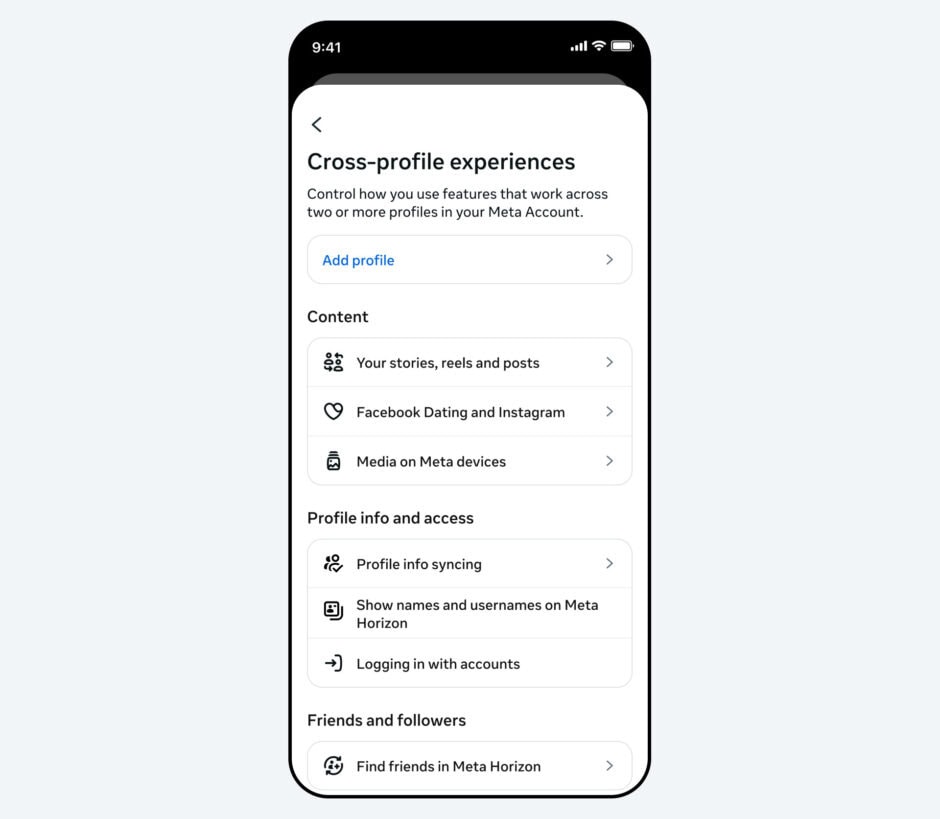
Meta Account provides a central location for managing settings that apply across Meta apps and devices. More settings can now be centrally managed including password, two-factor authentication and the email address associated with accounts. Settings that are specific to individual apps remain managed independently so users can tailor experiences for each app.
For example, who can see Facebook posts remains a Facebook setting, while whether someone can tag you in an Instagram photo remains an Instagram setting. These app-specific settings will not change with Meta Account.
For parents, Meta Account makes it easier to organize teens’ supervised accounts without switching between them. Parents can manage teens’ Instagram, Facebook, Messenger and Meta Horizon settings from a single simplified dashboard through Family Center, located within Meta Account. Meta will continue improving supervision tools to make life easier for parents.
Answering the query about data privacy, Meta said:
Absolutely. Your Meta Account uses industry-leading security features like passkey login, proactive safeguards, and personalized Security Checkup to keep your information safe. You have full control over your privacy settings and account security.
User Login Options
Meta Account supports Facebook, Instagram, Messenger, Threads, Meta AI, AI glasses and Meta Quest headsets. WhatsApp can be added optionally and will not be in Meta Account unless users previously added it to Accounts Center or choose to add it later. Users can choose to have different Meta Accounts for different apps or devices. For example, users can have one Meta Account for Facebook and another Meta Account for Instagram.
Users who already have a Meta Account for Meta Quest and AI glasses will see their updated Meta Account build on Accounts Center and now work across more apps and devices, making it easier to log in, control more settings centrally and keep information secure. Meta states this is just the beginning and more features will be added over time.