
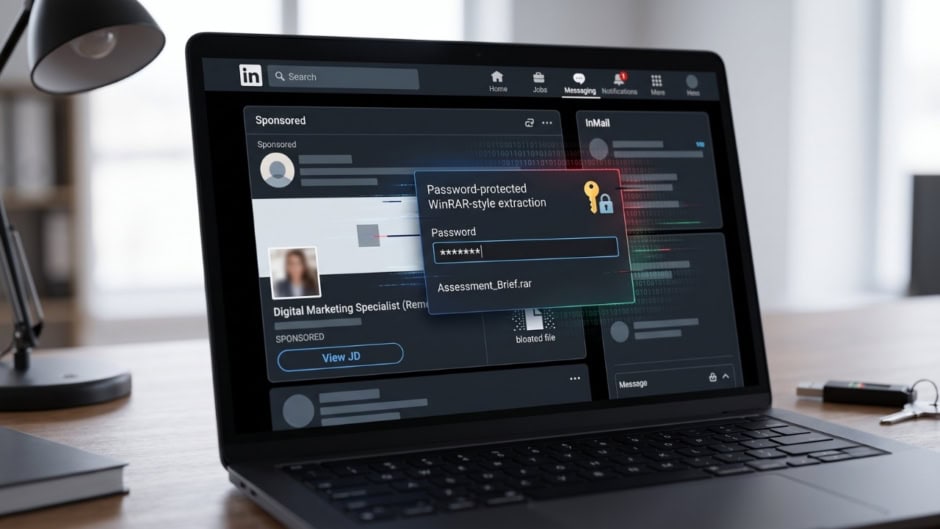
Job hunters on LinkedIn face a serious cyber threat nowadays. Scammers are now using paid platform features, mainly LinkedIn job ads, to target job seekers. They send fake job offers to spread dangerous malware. This sophisticated scam exploits user trust. As a result, unsuspecting professionals risk losing control of their personal systems.
How the LinkedIn Job Ads Trap Works
The attack starts directly inside your LinkedIn inbox. Scammers bypass usual connection limits by purchasing Sponsored InMail messages. These messages feature attractive, remote job opportunities. For instance, recent campaigns impersonated recruiters offering roles at established brands like Urban Ladder.
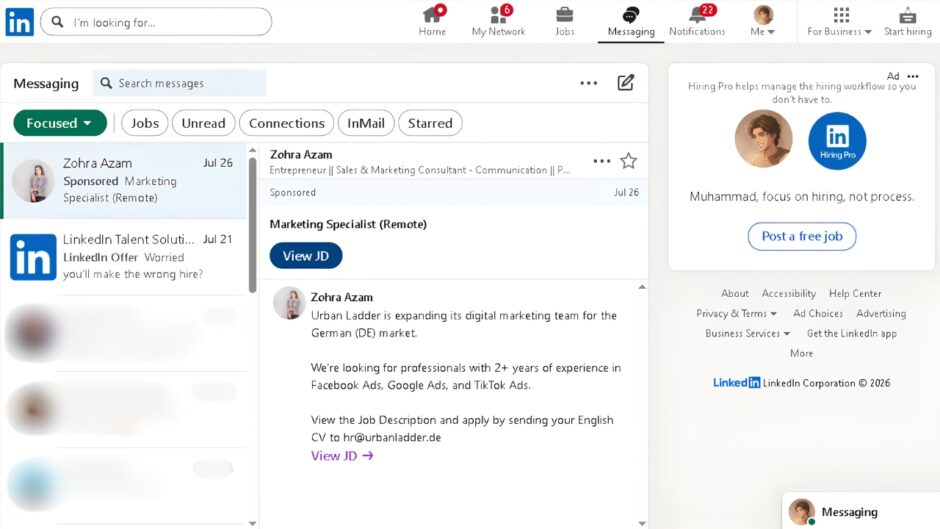
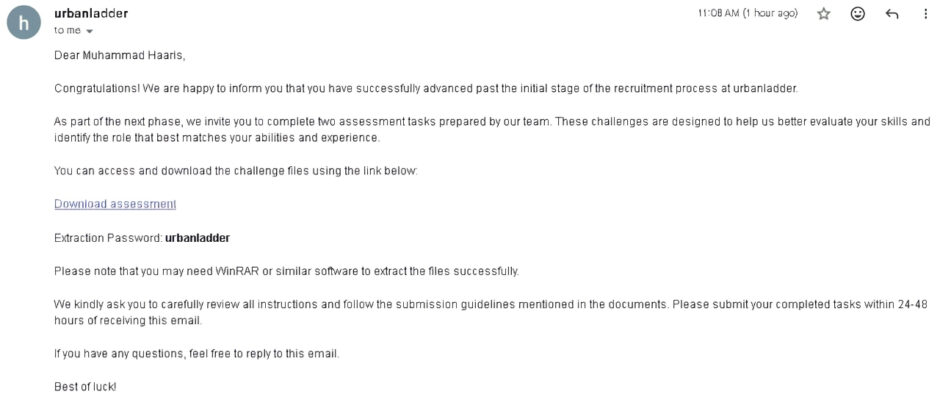
Unsuspecting users apply by sending their CV to a provided email address. Shortly after, an automated system sends a fast response. This email invites the applicant to the next hiring stage. However, it requires them to download an assessment task hosted inside a password-protected WinRAR archive.
Anatomy of a Malware Payload
The password-protected archive is a clever evasion tactic. Email security tools cannot scan encrypted files easily. Therefore, the malicious payload slips past standard inbox security filters without detection.
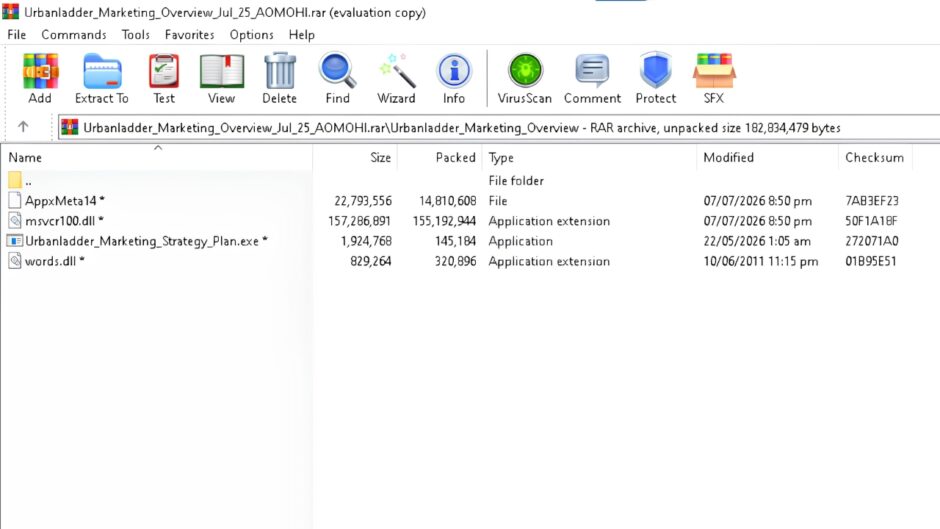
Inside the archive, users find a deceptive setup:
- Executable Files: The folder contains a file disguised as a document, such as
Urbanladder_Marketing_Strategy_Plan.exe. Clicking this file executes malicious code instantly. - Binary Padding: Supporting files like
msvcr100.dllare artificially bloated to over 150 MB. Scammers use binary padding so automated antivirus scanners skip the oversized files completely. - Info-Stealers: Running the application deploys info-stealing malware. Consequently, hackers can harvest browser passwords, session cookies, and authentication tokens silently.
Red Flags to Watch Out For
You can protect your device by spotting key red flags quickly:
- Sponsored Labels: Check if a recruiter’s message carries a “Sponsored” tag. Legitimate recruiters rarely reach out through paid mass-ad campaigns.
- Password-Protected Archives: Never download locked ZIP or RAR files from recruiters. Real companies share PDFs or secure document links instead.
- Urgent Deadlines: Be careful when employers demand task completion within 24 to 48 hours.
- Executable Attachments: A job assessment will never require running an
.exefile on your computer.
Always double-check unexpected job offers. Report suspicious sponsored messages on LinkedIn immediately to keep other professionals safe.