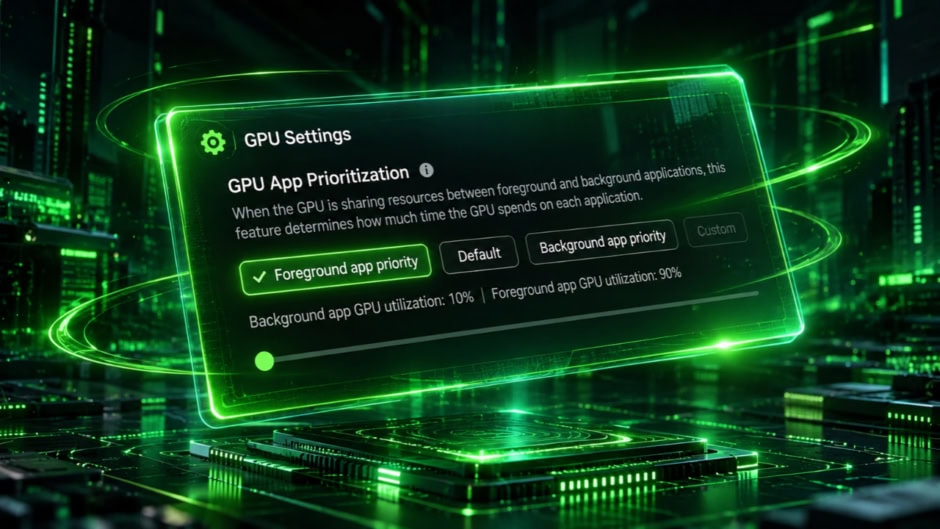
NVIDIA built a feature to let its RTX Spark laptops split GPU resources between apps. Now that same feature is quietly appearing on regular GeForce RTX desktops, and NVIDIA has not said a word about it.
The setting, called GPU App Prioritization, showed up in NVIDIA App version 11.0.9.585. It sits under System, then Advanced in the app’s settings. However, NVIDIA originally announced this tool exclusively for RTX Spark laptops at launch. Its appearance on standard GeForce cards has caught users off guard.
The feature solves a practical problem that gamers and creators deal with constantly. When a game runs in the foreground while OBS streams in the background, both fight for the same GPU resources. Traditionally, Windows handles this allocation with no user control whatsoever. GPU App Prioritization changes that by letting users decide exactly how much power goes where.
Four preset modes handle most scenarios. The default “Standard” mode splits resources 80/20, giving 80% to the foreground app and 20% to background tasks. “Foreground Priority” pushes that to 90/10 for maximum gaming performance while streaming. A “Background Priority” mode reverses the emphasis for rendering or AI workloads. Additionally, a “Custom” mode lets users manually adjust the ratio up to 95/5 through a step-by-step slider.
The feature requires Hardware-Accelerated GPU Scheduling to be enabled in Windows. Without it, the prioritization controls do not appear. This Windows setting offloads some GPU scheduling work from the CPU to the graphics card itself. It has existed since Windows 10 version 2004 but remains disabled by default on many systems.
Availability across GeForce cards is uneven and seemingly random right now. Some users took to the internet and confirmed the option appeared after updating. Some RTX 5080 users also found it in their settings. However, an RTX 5070 Ti owner running the same app version and a hotfix driver saw nothing. One RTX 5080 user reported seeing the 90/10 preset but finding the custom slider blocked entirely. NVIDIA has not confirmed which specific GeForce models support the feature.
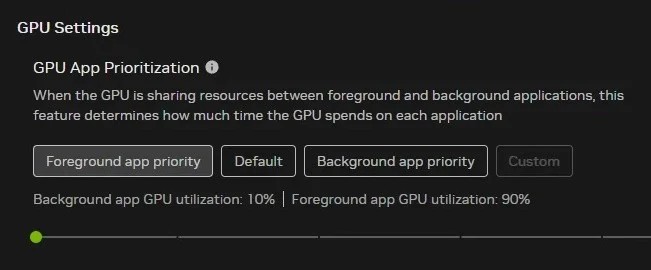
The inconsistency suggests this may not be an intentional rollout. It could be leftover code from the RTX Spark implementation that leaked into the broader NVIDIA App update. Alternatively, NVIDIA could be quietly testing compatibility before a formal announcement. Either way, the company has stayed completely silent about GeForce support.
For streamers and content creators, the implications are significant if NVIDIA makes this official. Manually controlling GPU allocation between a game and encoding software eliminates guesswork. Instead of hoping Windows balances resources fairly, users set their own priority and move on. The feature also matters for AI workflows, where a local model might run alongside creative software on the same GPU.
Anyone curious can update their NVIDIA App and check under System, then Advanced. If the option appears, enabling Hardware-Accelerated GPU Scheduling in Windows graphics settings may be necessary first. If it does not show up, there is no workaround yet. NVIDIA has not confirmed whether this feature will formally extend to all GeForce RTX owners.