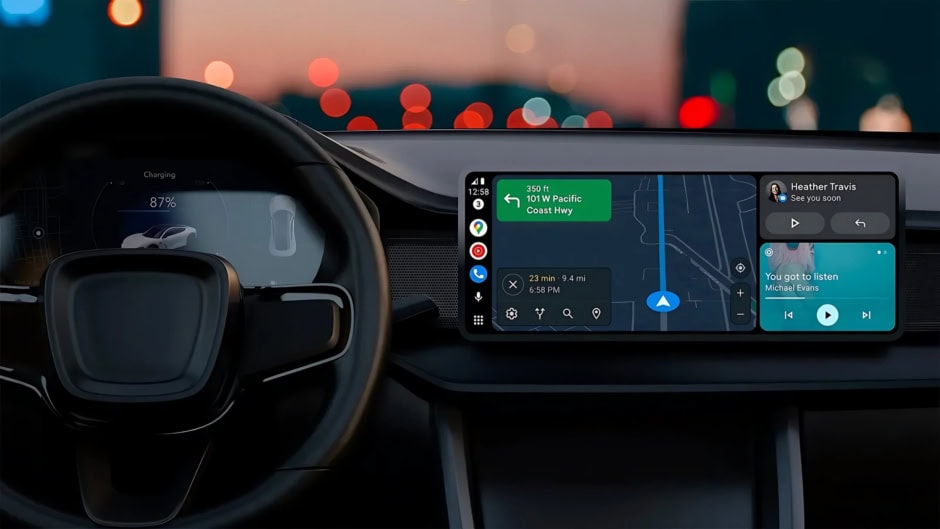
For the first time, Android Auto will permit certified video apps to run natively on car dashboards. Previously, Google restricted Android Auto to audio, navigation, and essential messaging apps to minimize driver distraction.
Video support will arrive on phones running Android 16 paired with select car models, enabling users to stream video content through officially sanctioned applications.
Google I/O 2025 Announcement For Android Auto
At Google I/O 2025, Google confirmed plans to broaden Android Auto’s capabilities. Alongside video apps, the company also announced a new in‑car web browser and expanded weather app options.
Google emphasized that safety remains paramount. This means video playback will be disabled while vehicles are in motion, and developers must adhere to strict UI guidelines to prevent distracting layouts.
Requirements and Compatibility
Android Auto Prerequisites
-
Android Version: Video app support requires Android 16 or later on the connected smartphone .
-
Android Auto Version: Users must update to the latest Android Auto app, which includes the new video‑app framework.
-
Vehicle Support: Auto manufacturers will roll out firmware updates for compatible infotainment systems; initial models include recent cars from Audi, Volvo, and Mercedes‑Benz.
- Web Browsing: Alongside video, Android Auto’s upcoming browser will allow users to look up information on parked vehicles, useful for route planning or checking live scores .
- AI Integration: Google plans to integrate Gemini for conversational queries, enabling users to ask natural‑language questions about nearby points of interest or music recommendations.
- Developer Tools: Enhanced Car App Library updates and sample code will help developers rapidly adapt existing adaptive apps for video and web support in Android Auto.
Developer Certification
Google has opened registration for the Car‑Ready Mobile Apps Program, enabling developers to submit adaptive video apps for certification. Certified apps will appear in a new “Video” section of the launcher. Certification ensures that apps:
-
Follow distraction‑free UI patterns (e.g., full‑screen playback with simple controls).
-
Automatically lock out playback when the vehicle is in gear.
-
Use Google’s Car App Library for consistent look and feel.
How Users Will Access Video Apps on Android Auto
Installation and Launch
-
Install the App: Download a certified video app (e.g., YouTube, Netflix) from the Play Store on your Android 16 device.
-
Connect to Car: Plug in or pair your phone via Bluetooth/Wi‑Fi to your car running the updated Android Auto software.
-
Navigate to Video: Select the “Video” tab on the home screen and choose your app.
-
Play Safely: Video controls will only be active when the car is stationary; attempts to play while driving will prompt a safety warning.
Allowing video content on dashboards aligns with platforms like Apple CarPlay, which already supports video playback when parked. Google’s support for multiple storefronts and content providers may spark competitive pricing and more innovative in‑car entertainment experiences.