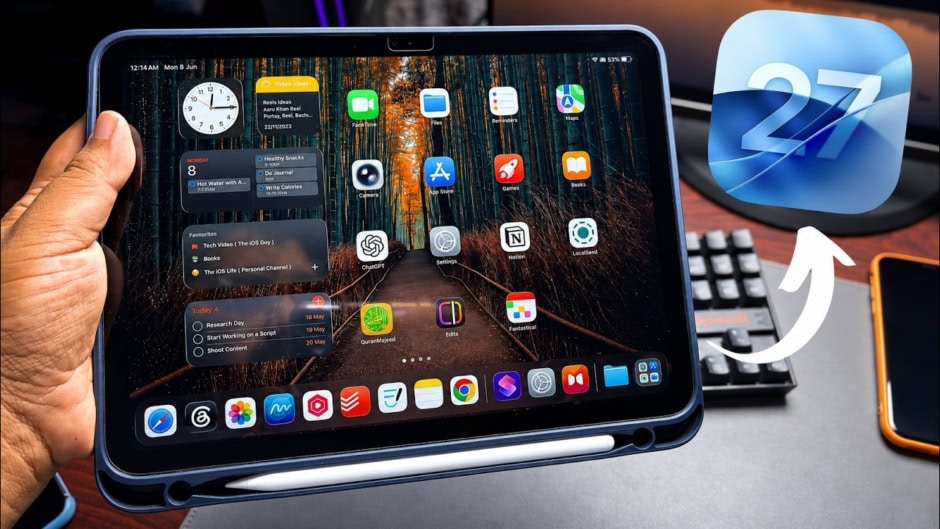
Apple unveiled iOS 27 and iPadOS 27 at its Worldwide Developers Conference. The company confirmed developer preview availability today. An open beta will arrive next month for wider testing. Public release is scheduled for this fall.
The update brings Siri AI as its main highlight. Apple is positioning it as a deeply integrated AI chatbot system-wide. It also comes with a dedicated app experience. Alongside this, Apple introduced several features under “next-gen Apple Intelligence.”
Beyond AI, Apple refined the Liquid Glass design language. Users can now adjust transparency using a slider. Apple also improved uniform refraction across the interface. Contrast has been enhanced for better readability. In addition, app icons now appear sharper and more detailed.
Performance has also seen noticeable upgrades. App launches are now up to 30% faster. Photos load in libraries up to 70% quicker. AirDrop transfers reach speeds up to 80% faster. Moreover, devices handle smoother switching between Wi-Fi and cellular networks. Apple also introduced an optimized CPU scheduler for improved system smoothness.
The Mail app now includes a smarter search system. It ranks results to surface the most relevant emails first. Meanwhile, VoiceOver gains new capabilities for environmental awareness. It now offers richer image descriptions. It also integrates with the Action button for faster access. Additionally, the system can generate synced subtitles for videos. It can even translate captions from other languages.
iCloud Shared Albums also received a major update. Android and Windows users can now join and contribute photos. Apple also enables full-resolution sharing inside Shared Albums. This improves quality for shared memories across platforms.
Maps gains an upgraded Flyover mode for more detailed viewing. GymKit also expands its reach. It now connects iPhones and AirPods Pro 3 with compatible gym equipment.
On the iPad side, iPadOS 27 introduces new media playback tools. Users can turn photos and videos into slideshows. They can adjust duration, transitions, and music easily. These slideshows can also be saved as videos.
Notification syncing improves as well. Missed message alerts and unread counts update faster. Calendar usage also becomes simpler. Users can create and edit events using natural language descriptions. File handling sees a major boost on iPadOS 27. Browsing and transferring files to external drives is now up to five times faster.