Microsoft released a redesigned Run dialog for Windows 11 on May 1, 2026 giving the 31-year-old utility its first major visual overhaul since debuting in Windows 95, adding dark mode support, improving load times by 9 milliseconds and removing the rarely-used Browse button that only 0.0038% of 35 million sampled users ever clicked. The updated Run menu matches Windows 11’s modern aesthetic while loading in a median 94 milliseconds compared to 103 milliseconds for the legacy version, with Microsoft expecting further performance improvements in future updates as the company refines platform-level optimizations benefiting overall operating system efficiency.
The Run dialog accessed via the Windows key plus R keyboard shortcut has remained largely unchanged since its 1995 introduction despite Windows undergoing multiple complete redesigns across versions 98, XP, Vista, 7, 8, 10 and 11. Microsoft studied usage patterns before undertaking the redesign and discovered that very few people use the Browse button shortcut to user files, leading to its removal in favor of a new tilde-backslash command that opens the user directory when typed as “~” into the Run field.
Interestingly, Microsoft’s research revealed that a common use case for the Run dialog involves users pasting text into the box and immediately copying it again, effectively using the utility as a makeshift formatting cleaner to strip rich text formatting from copied content. The company shared early design prototypes showing the evolution from the classic gray dialog box to the modern version featuring rounded corners, Fluent Design elements and seamless integration with Windows 11’s light and dark themes that automatically adjust based on system settings.
The redesigned Run menu maintains the essential functionality power users rely on for quickly launching programs, accessing system utilities and navigating to file paths without touching the mouse. Users can still type commands like “cmd” for Command Prompt, “regedit” for Registry Editor, “msconfig” for System Configuration or direct file paths to instantly open locations, with the new interface displaying command history and auto-complete suggestions more cleanly than the previous iteration.
Microsoft emphasized that platform improvements accelerating the Run dialog extend beyond this single interface element, with engineering teams collaborating across divisions to optimize how user interface surfaces load throughout Windows 11. The company stated that enhancements making Run faster simultaneously improve overall operating system responsiveness, suggesting broader performance gains affecting multiple system components beyond just the redesigned dialog box.
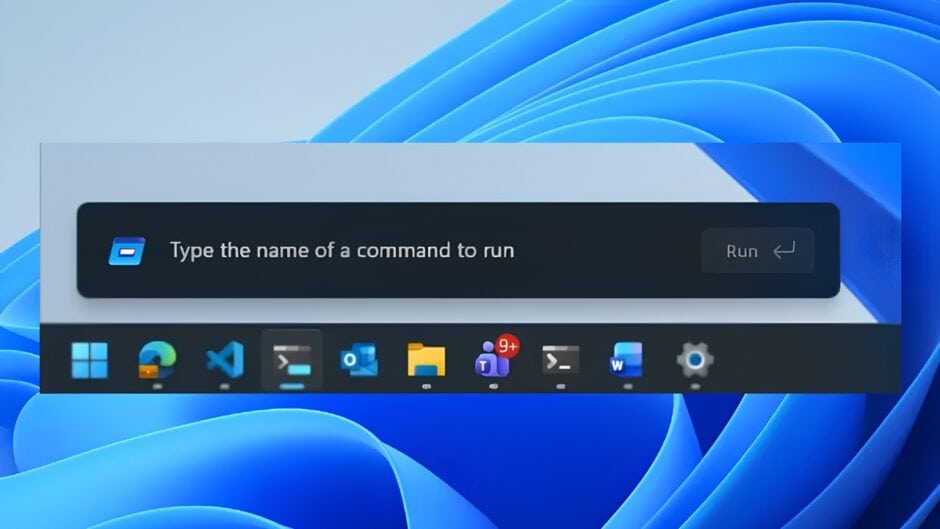
The updated Run menu rolls out gradually to Windows Insiders in the Experimental channel as part of build 26300.8346 released May 1, 2026, alongside other interface refinements including less intrusive Windows Widgets with quieter default settings, improved File Explorer performance, smarter ShareSheet app discovery for Azure Active Directory users and enhanced Magnifier controls allowing precise zoom percentage input. The Experimental channel serves as Microsoft’s testing ground for early-stage features that may eventually reach Beta and Release Preview channels before rolling out to the general Windows 11 user base.
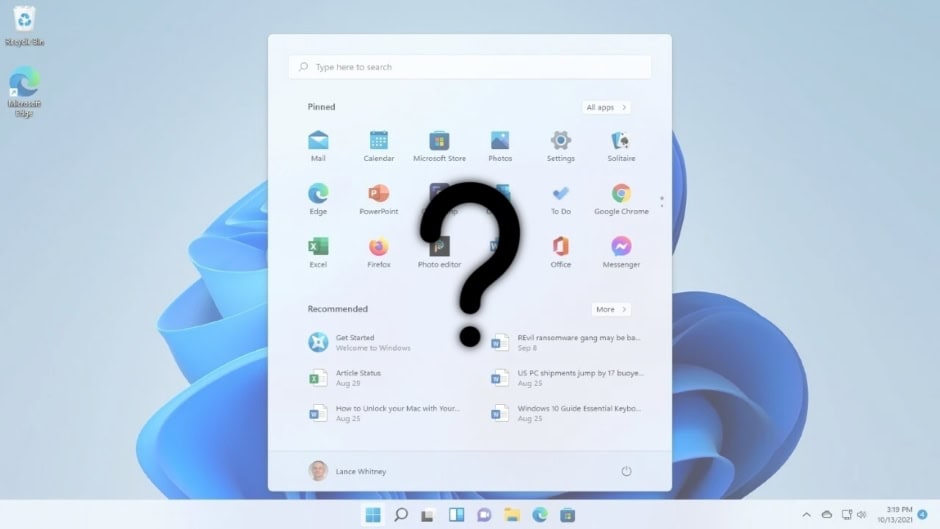
The Run dialog redesign represents part of Microsoft’s broader 2026 focus on improving Windows 11 performance, reliability and visual consistency across the operating system. The company previously overhauled the Start menu in early 2026 despite mixed user reactions to the larger, three-section layout consuming twice the screen space of the previous compact design, and confirmed plans to shift Start menu components from React web-based technology to native WinUI framework for improved performance and reduced latency.
Windows Latest and Neowin coverage noted that Microsoft continues iterating on core Windows 11 interface elements that have frustrated users, with File Explorer clicks often feeling sluggish especially when navigating folders with many files, network locations or cloud-synced directories. The May 2026 Insider changes appear designed to address these persistent pain points through targeted engineering improvements making shell interactions more responsive and reducing friction in everyday computing tasks.
Community response to the Run dialog redesign has been generally positive with users appreciating that Microsoft retained core functionality while modernizing aesthetics and improving performance, contrasting with more divisive reactions to the expanded Start menu redesign. Technology forums on Reddit and social media platforms reflect cautious optimism that Microsoft is finally addressing long-standing interface and performance complaints that have accumulated since Windows 11’s initial October 2021 release.
The Run menu update demonstrates Microsoft’s willingness to modernize even decades-old Windows components provided functionality remains intact, though the company faces ongoing challenges balancing interface modernization with user preference for familiar workflows. Third-party utilities like Start11 continue offering escape routes for users preferring classic Windows layouts, however Microsoft shows no indication of reverting major design decisions despite vocal criticism from segments of the Windows user community.