Google has enabled ransomware detection by default in Google Drive for paid Workspace users, expanding its push into built in cloud security protections.
The feature, now generally available, uses artificial intelligence to detect signs of ransomware during file synchronization from desktop devices. When suspicious activity is identified, Drive automatically pauses syncing to prevent encrypted files from spreading across cloud storage. Users and administrators receive alerts through desktop notifications, email, and the Google Workspace Admin console. This allows security teams to respond quickly and isolate affected systems before further damage occurs.
Google has also introduced a file restoration tool that allows users to recover multiple files to earlier versions before the infection occurred. The feature enables bulk recovery, reducing the need to pay ransoms or rely on external backups.
The company stated that its updated detection model identifies a wider range of ransomware behavior and detects infections up to 14 times more effectively compared to the earlier beta version launched in September 2025.
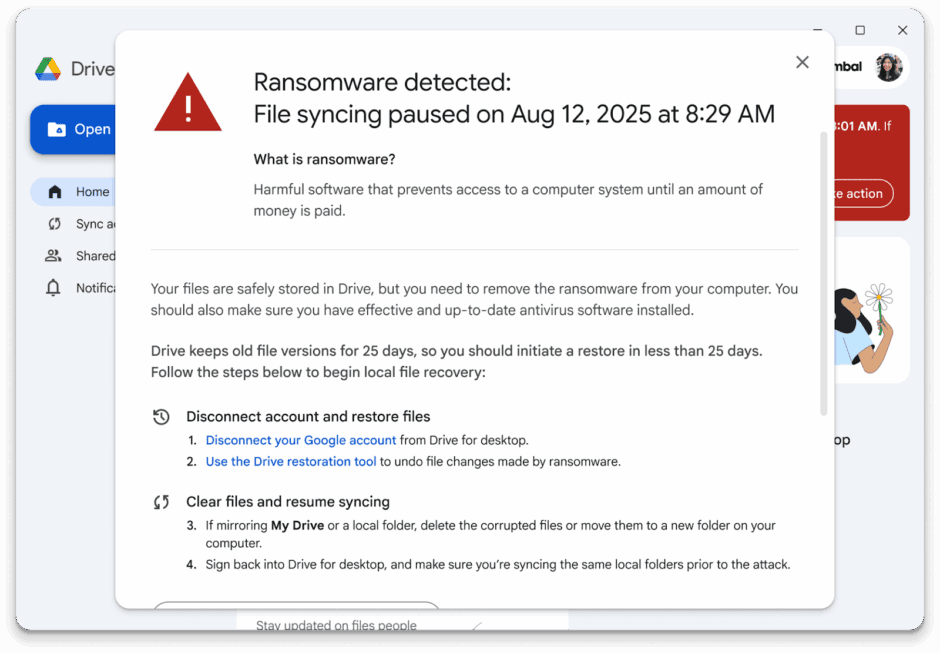
Ransomware detection is available for Google Workspace business, enterprise, education, and frontline tiers, while file restoration tools extend to both paid and some individual users. The protection works through the Drive for desktop application, which monitors file changes during sync.
As Google coins it:
What we’re announcing today is an entirely new layer of defense. While AV solutions continue their work to stop ransomware from getting in, we’ve built the protections to stop it from being effective once it is, inevitably, through the door. Our AI-powered detection in Drive for desktop identifies the core signature of a ransomware attack — an attempt to encrypt or corrupt files en masse — and rapidly intervenes to put a protective bubble around a user’s files by stopping file syncing to the cloud before the ransomware can spread.
Ransomware remains one of the most damaging cyber threats, with attacks targeting both local systems and cloud connected environments. Once files are encrypted and synced, the damage can spread quickly across devices and shared drives. Google’s approach focuses on limiting this spread by stopping synchronization at the first sign of abnormal file encryption behavior.