Mobile



Latest Mobiles

Apple iPhone 17 Pro Max
Rs. 473,000

OPPO A6 Pro
Rs. 74,999

Samsung Galaxy S25 FE
Rs. 254,999

Google Pixel 10
Rs. 225,999

Infinix Hot 60 Pro
Rs. 45,999

Infinix Hot 60 Pro+
Rs. 59,999
Trending Topics

iPhone 7 will be available with installment plans in Pakistan
iPhone 7 devices are soon to be made available in Pakistan through different telecom companies, e-commerce websites, and banks. Standard Chartered Bank is pre-booking iPhone…
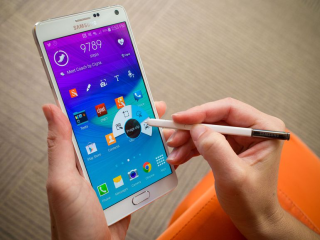
In a first, Samsung Note 4 catches fire in Pakistan
Samsung has had a pretty tough year so far. Numerous cases have sprung up of Samsung gadgets catching fire and putting at risk the lives…

iPhone 8 will feature an improved OLED display
According to a report by Japanese news outlet Nikkei, Apple will debut a new and improved OLED display for the next generation of their smartphone…

Google is now cracking down on fraudulent apps in Play Store
Google has announced that it is rolling out an improved detection and filtration system to get rid of shady and low-quality apps in Play Store.…

Smartphones to reach 40 Million mark in Pakistan by this year
The new reports and market trends have suggested that the smartphone user base of Pakistan is yet bound to grow and reach 8% mark in…

Ufone brings iPhone 7 to Pakistan
Telecom operator Ufone is bringing the recently launched iPhone to Pakistan. By doing this, Ufone has become the first operator to announce the launch of…

PTI to launch SHE SAFE personal safety app for women
Pakistan Tehreek-e-Insaaf(PTI) and Matrix are soon going to launch SHE SAFE, an app dedicated to providing women a quick way to access help in case…

Xiaomi announces Mi Mix — an astonishing phone with nearly bezel-less display
Xiaomi held an event on 25th October to announce two new devices, one of which is Xiaomi Mi Mix — a device with nearly edge…
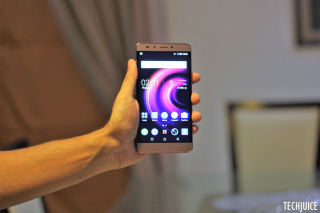
Infinix Note 3 Review, price starting from 18,599 PKR
Initial Impressions Infinix Note 3 is a huge phone with a premium quality build. It is a 6-inch phablet which packs a lot of high-end…
![A Galaxy Note 7 deemed safe by Samsung caught fire on Southwest Airlines flight 944 from Louisville to Baltimore. The plane was still on ground and was evacuated quickly after passengers were startled by a smoking Galaxy Note 7. The owner of the phone, Brian Green, told the Verge (http://www.theverge.com/2016/10/5/13175000/samsung-galaxy-note-7-fire-replacement-plane-battery-southwest) that he had picked up the replacement phone from AT&T store on September 21st. The phone was supposed to be safe to use as it came with a black square symbol on the box (one which Samsung now uses to differentiate safe Note 7 devices) and showed a green battery symbol. [Image: https://quip.com/-/blob/WNdAAA8gn3J/sIpDyjS87gr06Lvh4bNekA]Green said that as soon as he powered down the device, as requested by the flight crew, his device started emitting a “thick grey-green angry smoke”. He left the phone on the floor and quickly evacuated the flight. The phone burned through the carpet and had even damaged the subfloor of the plane. Green's phone had about 80 percent charge when the accident happened. He said that he had only once used a wireless charger to charge his device. The device is now in the hands of the local fire department for further investigation and Green has replaced his device with a new iPhone 7. In hindsight, that might not have been an entirely good decision as there have been similar incidents where iPhone 7 and 7 plus have caught fire due to battery damage (https://www.techjuice.pk/iphone-7-plus-explodes-before-even-being-taken-out-of-the-box/).](https://www.techjuice.pk/wp-content/uploads/2016/10/Samsung-Galaxy-Note-7-320x180.jpg)
Samsung introduces replacement program for Galaxy Note 7 users in Pakistan
Samsung has extended the support of Galaxy Note 7 replacement program for users in Pakistan. Those unfortunate users in Pakistan who bought a faulty Galaxy…
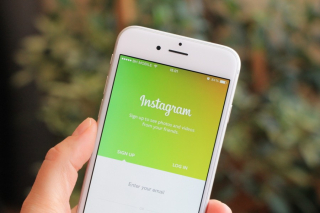
Instagram is privately testing live streaming videos
According to reports by TJournal, a Russian publication, Instagram is currently in the process of privately testing live streaming videos. The features seem to be…

Zong crosses 1.5 million 4G subscribers in Pakistan
Zong has now more than 1.5 million 4G subscribers across Pakistan. It celebrated this milestone through a ceremony at Pakistan Telecommunications Authority (PTA) Headquarters. Since…

SwiftKey adds support for more local Pakistani languages in the latest update
One of the most popular keyboard for Android and iOS has added support for Sindhi and Pashto in its latest update. This adds to the…