The Facebook-owned messaging app WhatsApp is one of the most widely used messaging platforms around the world. Facebook revealed last year, that WhatsApp users send approximately 65 billion messages every day and this number is increasing daily.
Among all the messages that users exchange with each-other in group chats or private chats, there are certain messages which a person wants to save for referring back to later, or just to store them as memories. While taking a screenshot of a particular chat seems that the obvious choice to store messages, but it is not the only way.
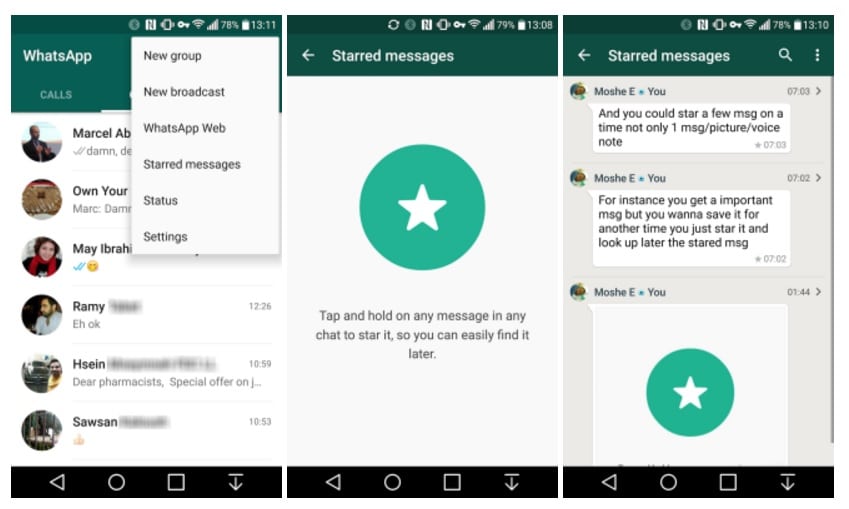
But WhatsApp provides another way through which users can save important messages from both private or a group chat without taking a single screenshot and can view those messages later. This feature is named as “Starred Messages”, which is available on all Android, iPhone and Window smartphones.
See Also: This new WhatsApp feature will save you from a major embarrassment
Now, let us discuss the process through which you can save these messages.
Let’s begin with Android phones;
For iPhone users;
All of these starred messages are saved/stored together in your device, and in order to gain access to these stored messages follow the steps mentioned below;
For Android user;
For iPhone users;