Mobile



Latest Mobiles

Apple iPhone 17 Pro Max
Rs. 473,000

OPPO A6 Pro
Rs. 74,999

Samsung Galaxy S25 FE
Rs. 254,999

Google Pixel 10
Rs. 225,999

Infinix Hot 60 Pro
Rs. 45,999

Infinix Hot 60 Pro+
Rs. 59,999
Trending Topics

SwiftKey adds support for more local Pakistani languages in the latest update
One of the most popular keyboard for Android and iOS has added support for Sindhi and Pashto in its latest update. This adds to the…
Google releases Android 7.1 developer preview for selected Nexus devices
Google has today released the developer preview of next incremental update of Android Nougat for select nexus devices. The update brings the version number up…
Technology Security Board Pakistan recommends officers to not download Pokemon Go
National Telecom and Information Technology Security Board (NTISB) has recommended officers, staff, and their families to not download Pokemon Go game. Virtual reality game Pokemon…

Mobilink’s mobile-based agricultural service launched to for Farmers across Pakistan
Mobilink is targeting the agriculture sector of Pakistan with the launch of its new value added service (VAS), ‘Ba Khabbar Kisaan’. The App based service…

Google Photos can now turn your videos into GIFs
Google Photos is getting a significant update today, enabling users to turn the most animated parts of their videos into a GIF. The update will…
Bad luck strikes early adopters of Samsung Galaxy Note 7 in Pakistan
Online store Homeshopping saw an increase in orders of Samsung Galaxy Note 7 device after the South Korean manufacturer issued a global recall a few…

Mobile services to remain suspended in 52 cities on Muharram
On account of Muharram, mobile network services will remain suspended, across the country in 52 cities, on the 9th and 10th of Muharram for security…
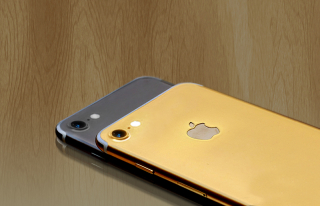
Gold plated iPhone 7 now available in Pakistan
If iPhone 7’s price wasn’t high enough for you or maybe its original tinted gold color wasn’t convincing enough for you, you can go to…
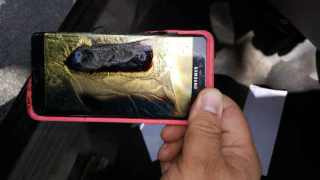
Another safe Samsung Galaxy Note 7 catches fire in Minnesota, USA
Yet another Samsung Galaxy Note 7, deemed safe to use by the manufacturer, has caught fire in Minnesota, USA. This is the second reported incident…

Telenor officially launches 4G Wingle and Mobile Wifi device in Pakistan
Telenor has announced the launch of its 4G devices including a “4G Hotspot Wingle” and “4G Hotspot Mobile Wifi” for customers in Pakistan. This announcement…
Google is moving away from Nexus values with Android 7.1 and Pixel devices
Google has released Android 7.1 change log and it strengthens one thing; Pixel phones are not a direct replacement of Nexus phones. Before going over…
![A Galaxy Note 7 deemed safe by Samsung caught fire on Southwest Airlines flight 944 from Louisville to Baltimore. The plane was still on ground and was evacuated quickly after passengers were startled by a smoking Galaxy Note 7. The owner of the phone, Brian Green, told the Verge (http://www.theverge.com/2016/10/5/13175000/samsung-galaxy-note-7-fire-replacement-plane-battery-southwest) that he had picked up the replacement phone from AT&T store on September 21st. The phone was supposed to be safe to use as it came with a black square symbol on the box (one which Samsung now uses to differentiate safe Note 7 devices) and showed a green battery symbol. [Image: https://quip.com/-/blob/WNdAAA8gn3J/sIpDyjS87gr06Lvh4bNekA]Green said that as soon as he powered down the device, as requested by the flight crew, his device started emitting a “thick grey-green angry smoke”. He left the phone on the floor and quickly evacuated the flight. The phone burned through the carpet and had even damaged the subfloor of the plane. Green's phone had about 80 percent charge when the accident happened. He said that he had only once used a wireless charger to charge his device. The device is now in the hands of the local fire department for further investigation and Green has replaced his device with a new iPhone 7. In hindsight, that might not have been an entirely good decision as there have been similar incidents where iPhone 7 and 7 plus have caught fire due to battery damage (https://www.techjuice.pk/iphone-7-plus-explodes-before-even-being-taken-out-of-the-box/).](https://www.techjuice.pk/wp-content/uploads/2016/10/Samsung-Galaxy-Note-7-320x180.jpg)
Safe Samsung Galaxy Note 7 catches fire on a plane in USA
A Galaxy Note 7 deemed safe by Samsung caught fire on Southwest Airlines flight 944 from Louisville to Baltimore. The plane was still on the…

Google announces Pixel — phone by Google
Today, at their ‘Made by Google’ event in Silicon Valley, Google officially announced two new mobile devices – Pixel and Pixel XL. These devices replace…