Mobile



Latest Mobiles

Apple iPhone 17 Pro Max
Rs. 473,000

OPPO A6 Pro
Rs. 74,999
Samsung Galaxy S25 FE
Rs. 254,999

Google Pixel 10
Rs. 225,999

Infinix Hot 60 Pro
Rs. 45,999

Infinix Hot 60 Pro+
Rs. 59,999
Trending Topics

WhatsApp finally launched a web client for messaging
Seems like today is going to be a great day for the lovers of WhatsApp all over the world. The famous mobile messaging app has…

Strings Can Delete Embarrassing Texts From The Recipient’s Mobile
I sent about 20 texts containing the same message to an unintended number by mistake and I could not be more embarrassed. Now, if this…
Multi Task More Efficiently on Your Android with Tiny Apps
Android is known for its customization capabilities, but there are areas where the OS can learn from other OEM’s. The app we are looking into…

Managing Passwords Is Not Painful Anymore Because of Dashlane
Long gone are the days when we had to remember only one password to our email account. Now the job is tedious as the number…
![Kopy is multi-platform application which lets you copy a text such as a phone number, an email or an address and paste it on a different device. For example, you want to SMS a certain text from your laptop to your friend; what will you do? You can write it down word by word and spend about 5-10 minutes of your time in doing so. Another way is to send a subject less email to yourself, open it in your mobile browser, copy the text and finally, SMS it to your friend. How Kopy can change this for you? Let’s re-walk through the same situation. You want to SMS a certain text from your laptop to your friend; what will you do? You will open gokopy.com (http://gokopy.com/) or Kopy's Windows application, login to your account, paste the text in the box and press Kopy. Now, you will go to your Kopy mobile application, and your text will be there in the history section which you can share via various available options, send by SMS, Bookmark or just copy again. [Image: https://quip.com/-/blob/wAvS8RazRf2uemj054DMIQ] You can use Kopy as a Guest User without making any account but you will have to scan the QR code on the website with your phone. Additionally, you can use voice command to open the application and say the text that you want to copy to other devices. You can delete the copied text from the History section anytime or keep it as long as you want to. The downside is that you can copy only 500 words long text which means any text longer than this can’t be copied. You can, maybe, copy a longer text in multiple parts. However, this will not bother much since most of the time the text copied is not longer than 500 words such as a location address or a URL etc. Kopy has received positive user reviews on different platforms. We have test-run the application and we definitely endorse the reviews. As we tested the application, we found out that the service provided was quick and flawless. Moreover, the user interface was easy to use without any hidden complexities and did not give any performance problems. We recommend this application as a must-download for your phone and laptop. Download Now: Windows Phone (http://www.windowsphone.com/en-us/store/app/kopy/6b0c3ec0-afad-4e45-8990-874f12dbab20), Android (https://play.google.com/store/apps/details?id=com.gokopy.android), Windows Store (http://apps.microsoft.com/windows/en-us/app/kopy/f3b10b88-bca8-4759-987a-b8c616fc21b6) Don't forget to tell us your views about the application.](https://www.techjuice.pk/wp-content/uploads/2015/01/Copy-Paste-Across-Devices-2-300x169.jpg)
Kopy Lets You Copy/Paste Text Across Devices
Kopy is multi-platform application which lets you copy a text such as a phone number, an email or an address and paste it on a…
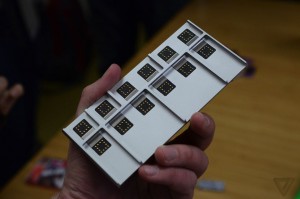
Project Ara Developer Challenge To Give $100K Grand Prize
Put on your thinking caps and start innovating! Google has called out developers from around the world to create novel modules for the Project Ara…
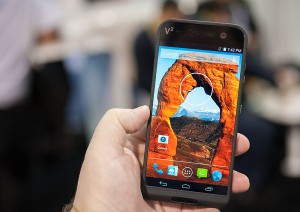
Meet The Smartphone Which Gives 320 GB Storage In Total
Saygus V2, a new brand, announced a smartphone with a storage space of a mini laptop at the Consumer Electronics Show (CES) 2015. The smartphone…

Best of CES 2015: Our Favorite Gadgets from the Electronics Show
The 2015 episode of the 4-day extravaganza of cool tech and gadgets, known as the Consumer Electronics Show (CES), is now over. Like every year,…
Crossy Road Clucks Its Way From iOS to Android
Crossy Road is a game that might just answer the age long question of “Why did the chicken cross the road?”. While the answer is…

Wakie Will Change the Way You Get Out of Bed
Waking up in the morning is a true challenge, You never want to get out of bed. Technology has come miles from where it used…

Buy Smarter with Smart Buy; Compare Prices of Smartphones With Ease!
A common issue that I am always perplexed with is having to compare prices of products between different stores, previously I used to use sticky…

5 Apps To Learn New Languages On The Go
There are a host of applications available on both Google Play and iOS that could be used to facilitate the quick learning of various foreign…
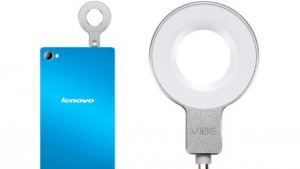
Lenovo P90 Revealed with Flash Bulb Selfies & More
The Lenovo P90 is a phone that is sure to make quite a buzz due to how it will reintroduce a once forgotten concept of…